case study · PrestaShop module
Product features the customer sees only when they should
A module for PrestaShop 8 and 9 that hides selected features or individual values on the storefront. The data stays untouched in the database and in the admin panel.
01 / brief
Features as internal and public data at the same time
Stores often keep internal information in product features: a warehouse code, the wholesale supplier, the country of origin before negotiations. PrestaShop can't hide them: every feature assigned to a product ends up on the product page. Deleting the feature destroys data used by import, export, filters and integrations.
- 01Hide selected features in the store
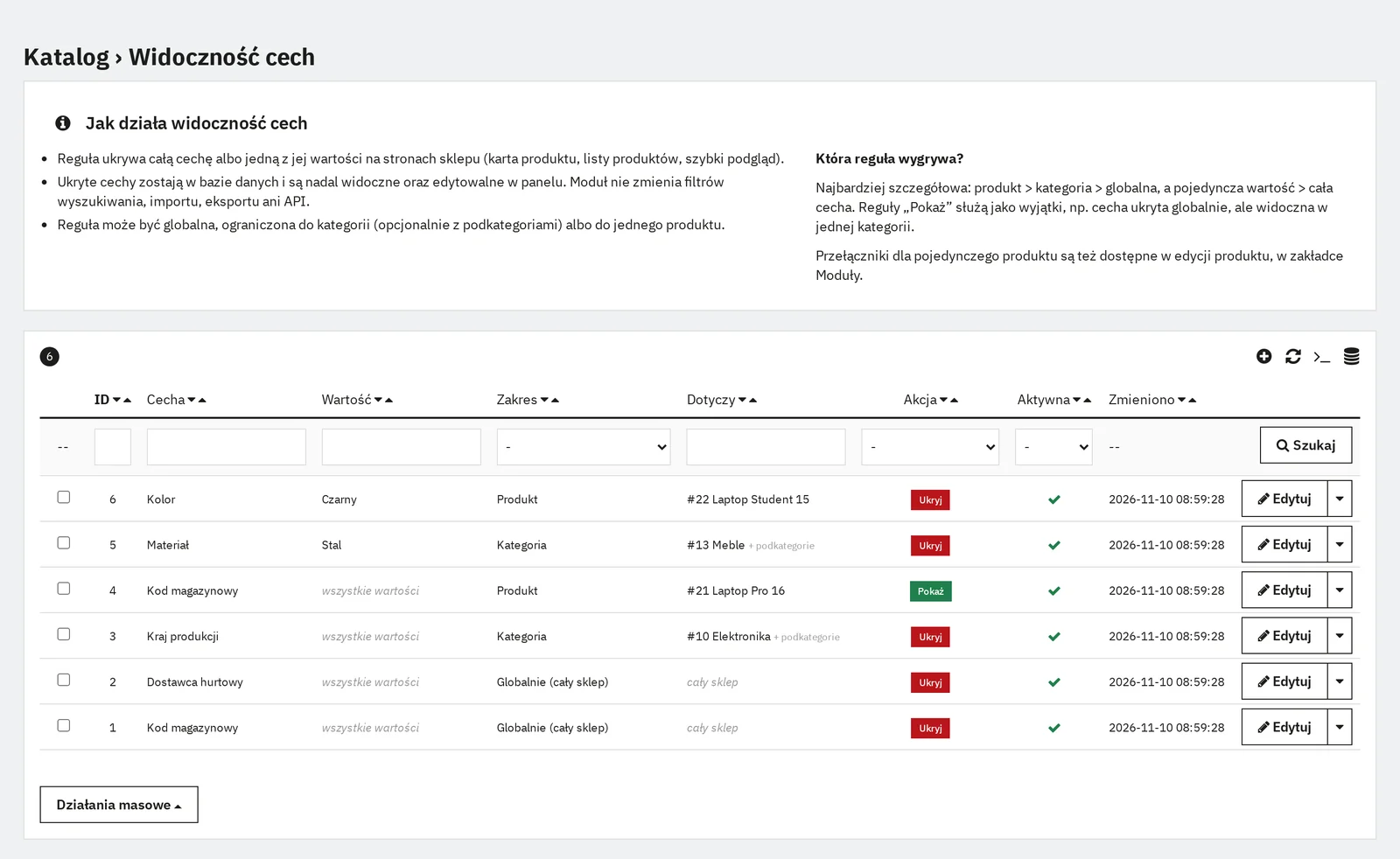
Visibility rules managed in Catalog › Feature visibility, with a list, filters and bulk actions.
- 02Hide whole features or single values
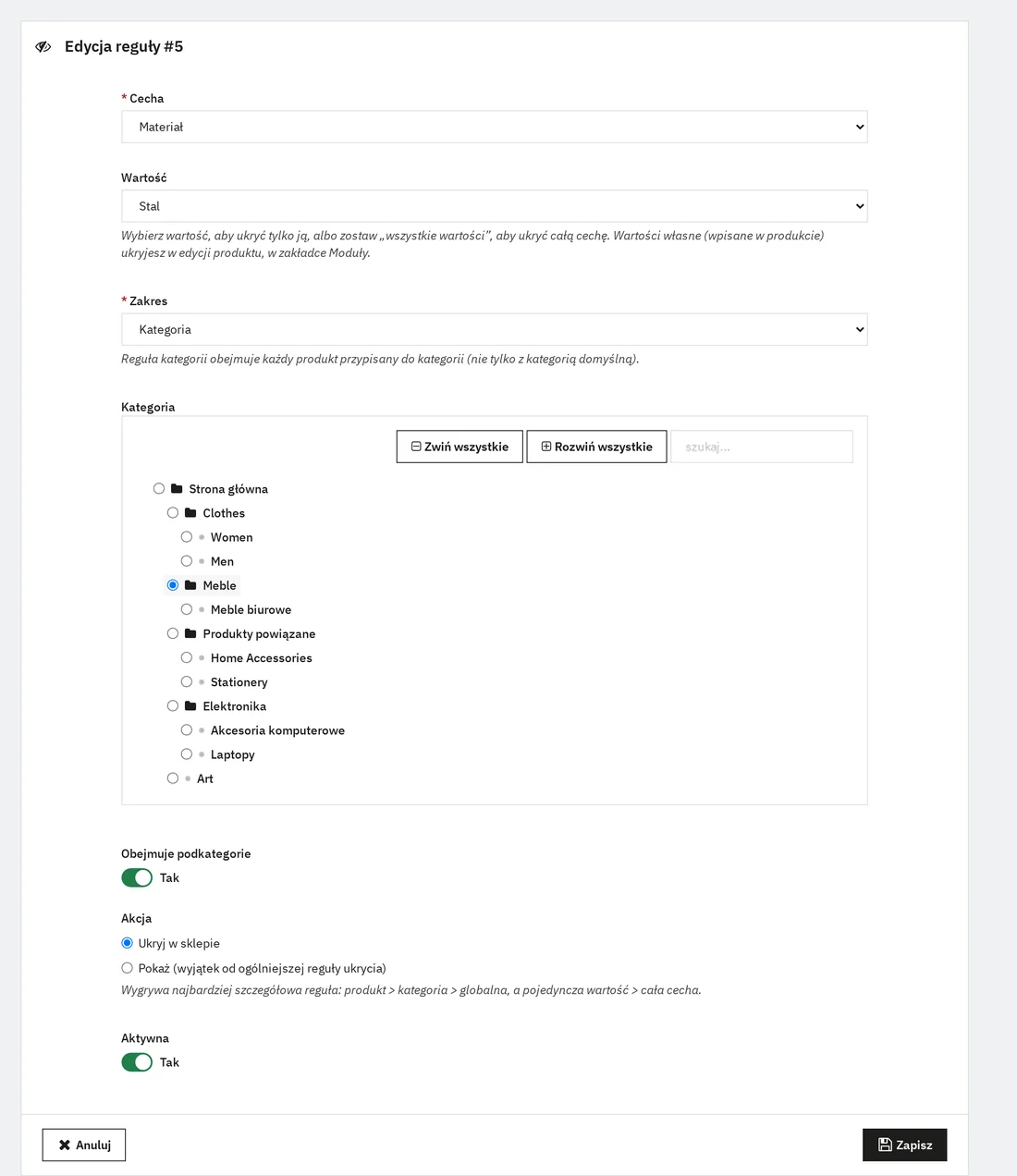
A rule covers the whole feature or one value, e.g. only “Steel” within Material. Custom per-product values are hidden in the product editor.
- 03Managed from the admin panel
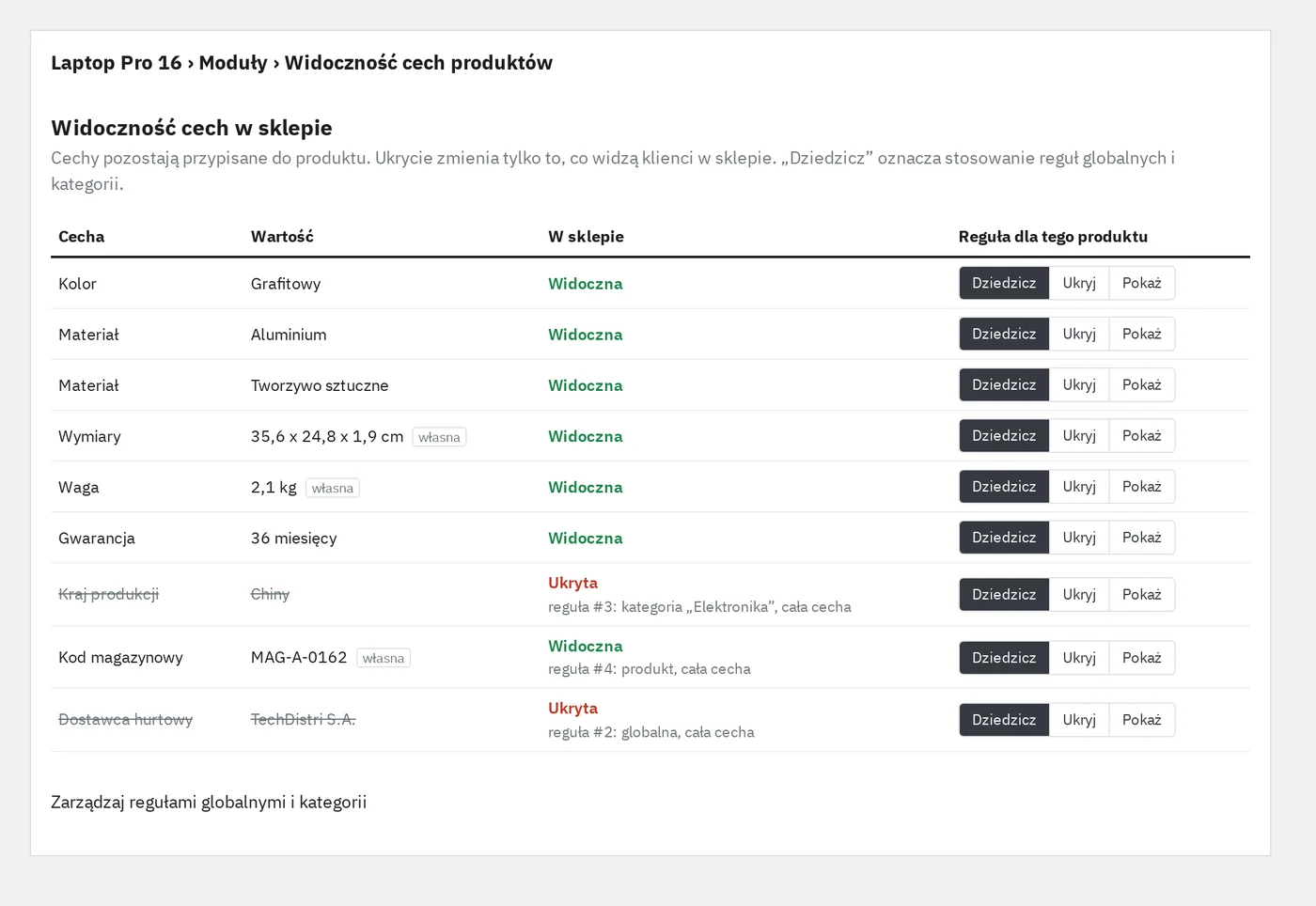
A dedicated tab in the Catalog menu and Inherit / Hide / Show toggles in every product's editor, saved instantly.
- 04Globally, per category and per product
Three scopes, categories with or without subcategories. A “Show” rule works as an exception to a more general rule.
- 05Hidden features stay in the database and admin
The module deletes nothing. It only filters data passed to storefront templates.
- 06No side effects on other features
No core class overrides. Search filters, import, export and the API work on full data. Rules clean themselves up when a product, category or feature is deleted.
- 07Compatible with PrestaShop 8 and 9
The same code verified on 8.2.9 (Classic) and 9.2.1 (Hummingbird), running side by side.
02 / metrics
Numbers from running test stores
- 2
- PrestaShop versions 8.2.9 and 9.2.1, two different themes, one module codebase
- 0
- core overrides integration through a single front hook, no override
- ~3.5ms
- overhead on the product page with 6 active rules, median of 3 × 40 requests
- 42/42
- admin tests 21 automated checks per store version
- 12
- rule types 3 scopes × feature or value × hide or show
- 1
- rules query per request, then an in-process cache
- 75
- translated strings English sources, full Polish translation in XLF
- ~1,200
- lines of code PHP, Smarty, JS and CSS, no external dependencies
78.3 ms
75.7 ms
52.2 ms
58.9 ms
Scale: full width = 100 ms. The PS 8 listing result is within measurement noise (the run with the module came out faster).
03 / storefront result
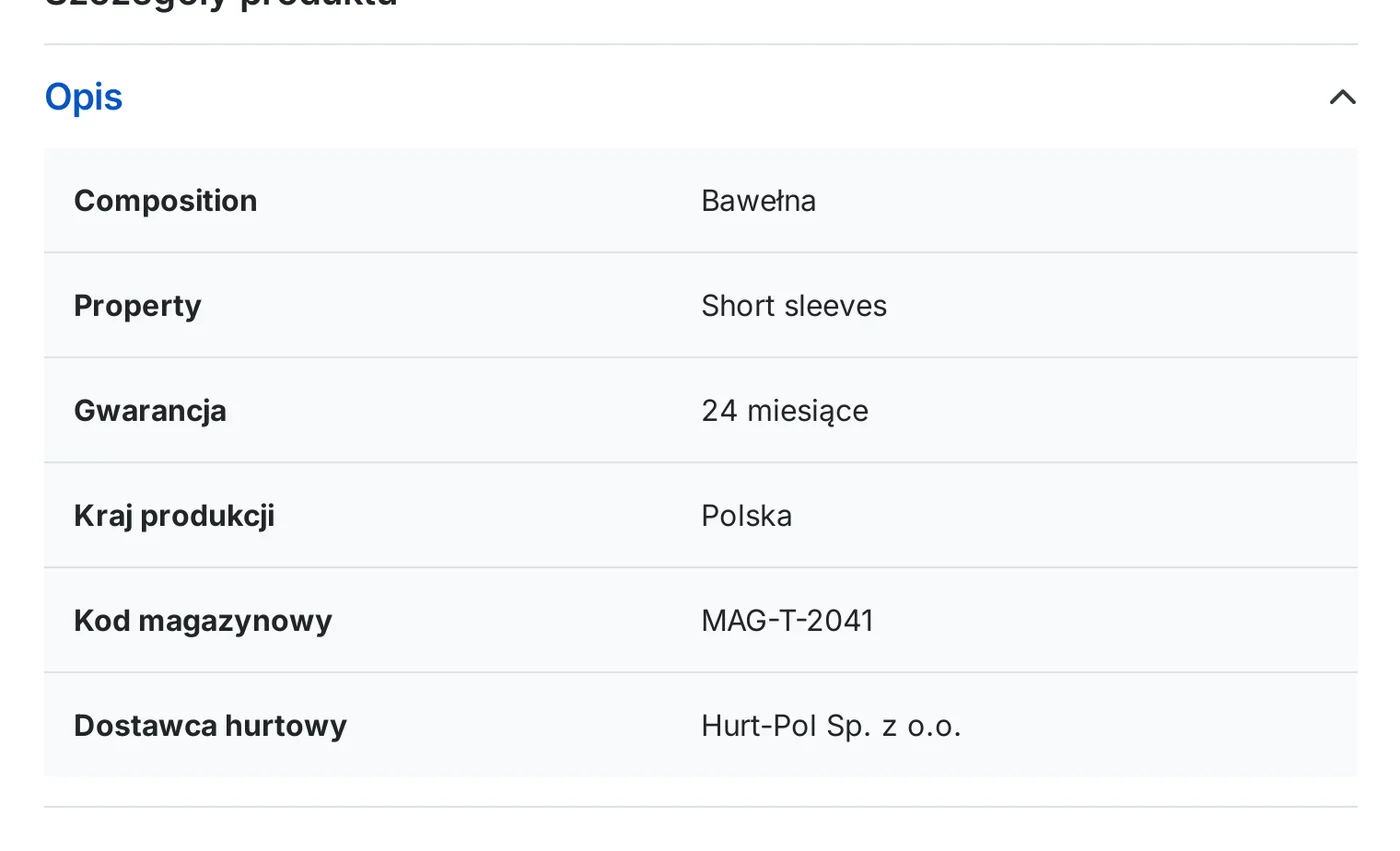
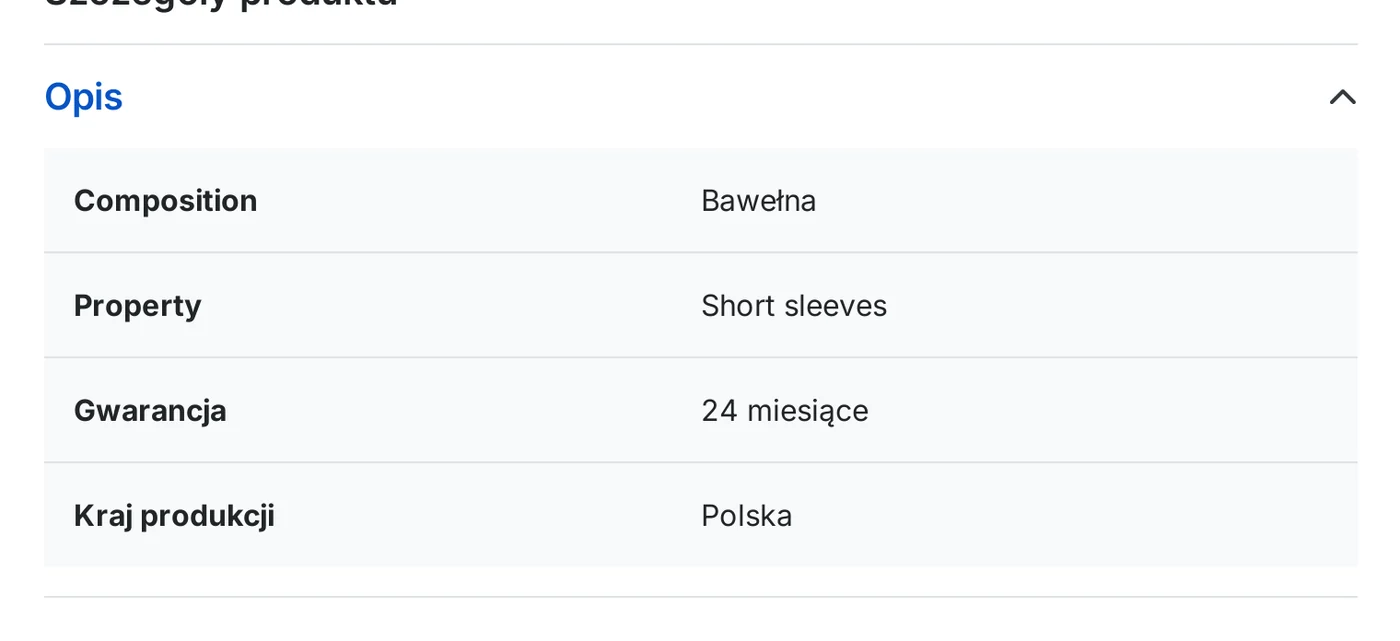
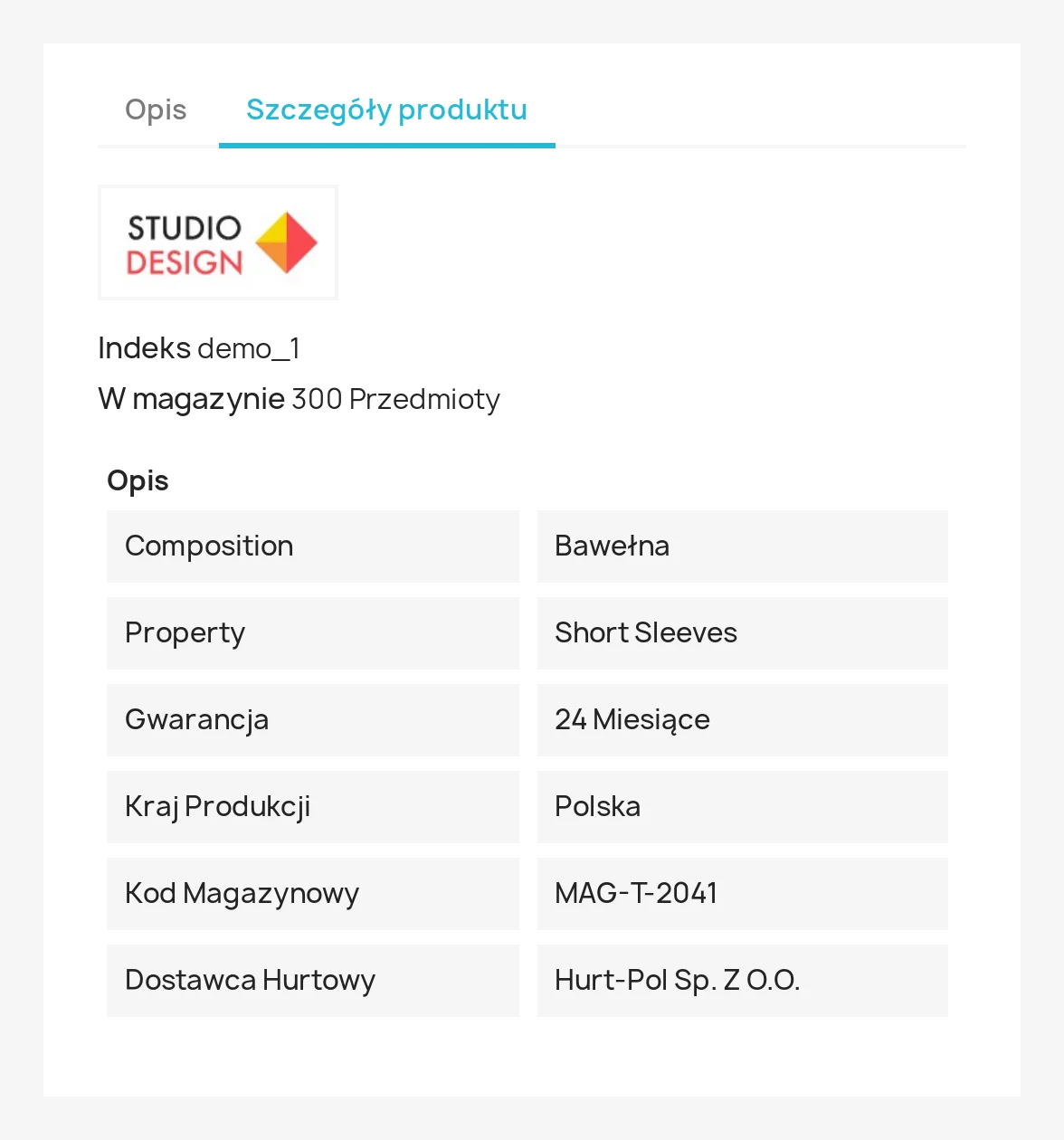
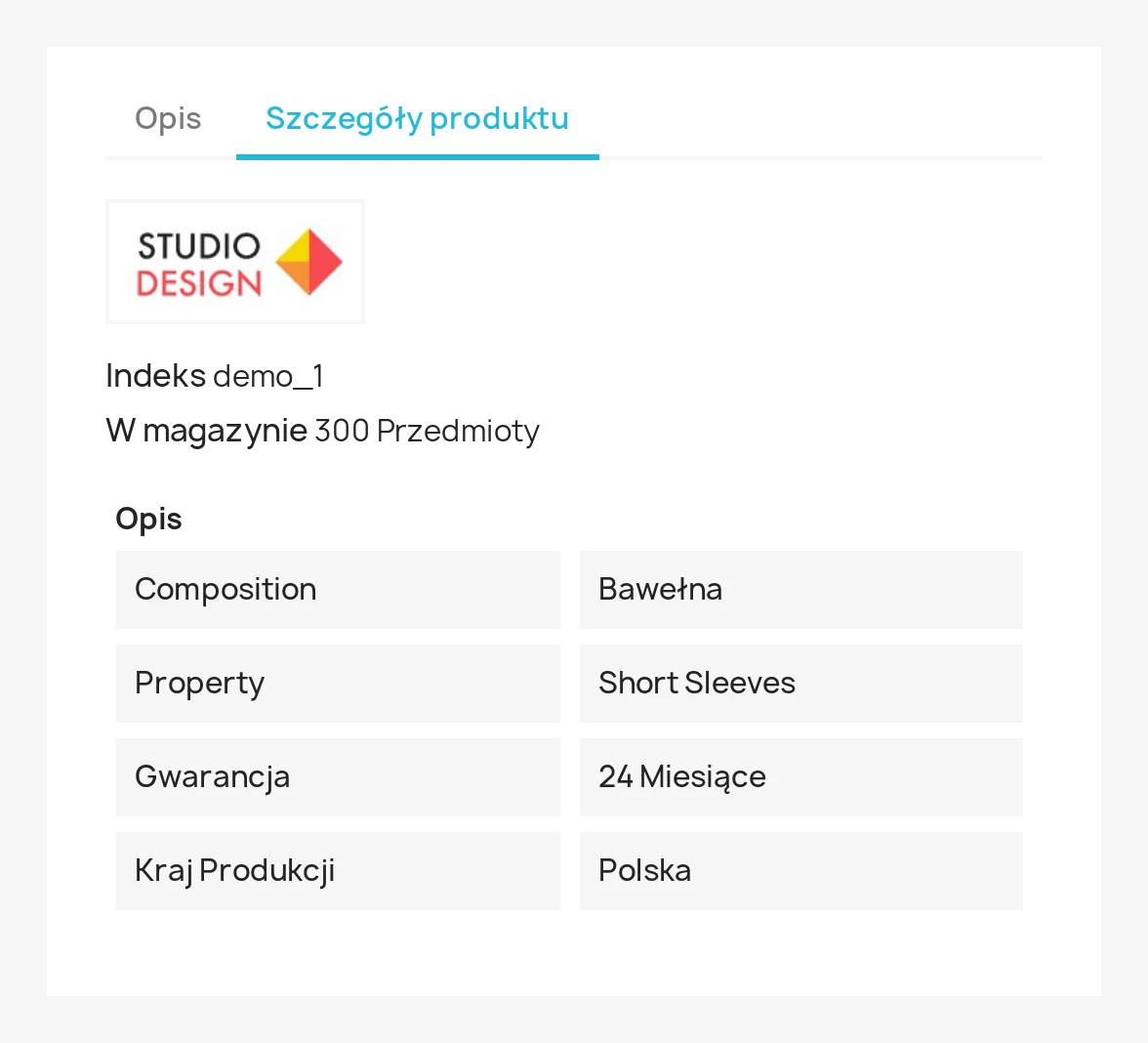
Same T-shirt, same data, different product page
A demo product with internal features added. Two global rules hide the warehouse code and the wholesale supplier. Warranty and country of origin stay, because no rule covers them in this category.
PrestaShop 9.2.1 Hummingbird theme, “Technical data” accordion
PrestaShop 8.2.9 Classic theme, “Product details” tab
04 / solution
The most specific rule wins
One rule per decision
For each feature–value pair the module picks the highest-ranked matching rule. On a tie, e.g. two product categories with opposite actions, hiding wins. The admin shows next to every feature which rule decided it.
A filter where every product passes through
The actionGetProductPropertiesAfter hook covers the product page, listings, quick view and product modules. In PS 8 the feature list is already there. In PS 9 features load lazily, so the module injects a ready, filtered list that ProductLazyArray also uses to build grouped_features.
Admin and data unchanged
The filter only runs in the front-office context. Product editing, import, export, the API and ps_facetedsearch see full data, so hiding a feature doesn't break filtering or integrations.
05 / admin panel
Rules in one place, exceptions where you edit the product
The admin is in Polish, as delivered to the client. Click a screenshot to enlarge it.
06 / delivery
From an empty server to a tested module
Environment
Two stores in Docker on a VPS: PrestaShop 9.2.1 on PHP 8.4 and PrestaShop 8.2.9 on PHP 8.1, sharing a MariaDB 11.4 database on an internal network. HTTPS and subdomains via Caddy. The module code is mounted into both stores at once, so every change works in both versions immediately.
Test data
A script creating 5 categories with subcategories, 8 bilingual features and 12 products with single- and multi-value features plus custom values. The same IDs in both stores, so results compare one to one.
Core analysis
Before writing code: a review of how PS 8 and PS 9 build the feature list. The key difference is lazy feature loading in PS 9. The common point turned out to be a hook fired for every displayed product.
Testing
Storefront scenarios checked against page HTML in both stores: global rule, category with subcategories, product exception, hiding a single value. In the admin, 21 automated checks per version: rendering of the list, form and tab, validation, saving, clean-up after deleting a feature. Plus a clean module reinstall and a performance benchmark.
Post-acceptance fixes
The “Expand all” button in the category tree lost branches. The cause was a bug in PrestaShop's core tree script that affects every single-select tree. The module form now receives the whole tree up front, so expanding works without a server round-trip.
stack
Storefront screenshots come from running test installations. Admin views are the real module code rendered with the original PrestaShop 9 admin stylesheets, without the admin navigation frame. Timings were measured inside the application container, without network and TLS.
next step
Facing a similar challenge?
Tell me what you want to achieve. I'll come back with a concrete proposal, a quote and a delivery plan.