e-commerce platform · B2C and B2B
An online shop that looks like your brand and works like a big platform
KALIBR is a ready-made shop platform for consumers and businesses. It has a design you can fit to any brand, a back office for the whole team, and integrations with payments, couriers, marketplaces, ERP and KSeF. It does what you look for in WooCommerce, PrestaShop, Shopify or Shoper, without a pile of plugins and add-on subscriptions. Try the shop and the panel at sklep-demo.digital-fortify.pl.
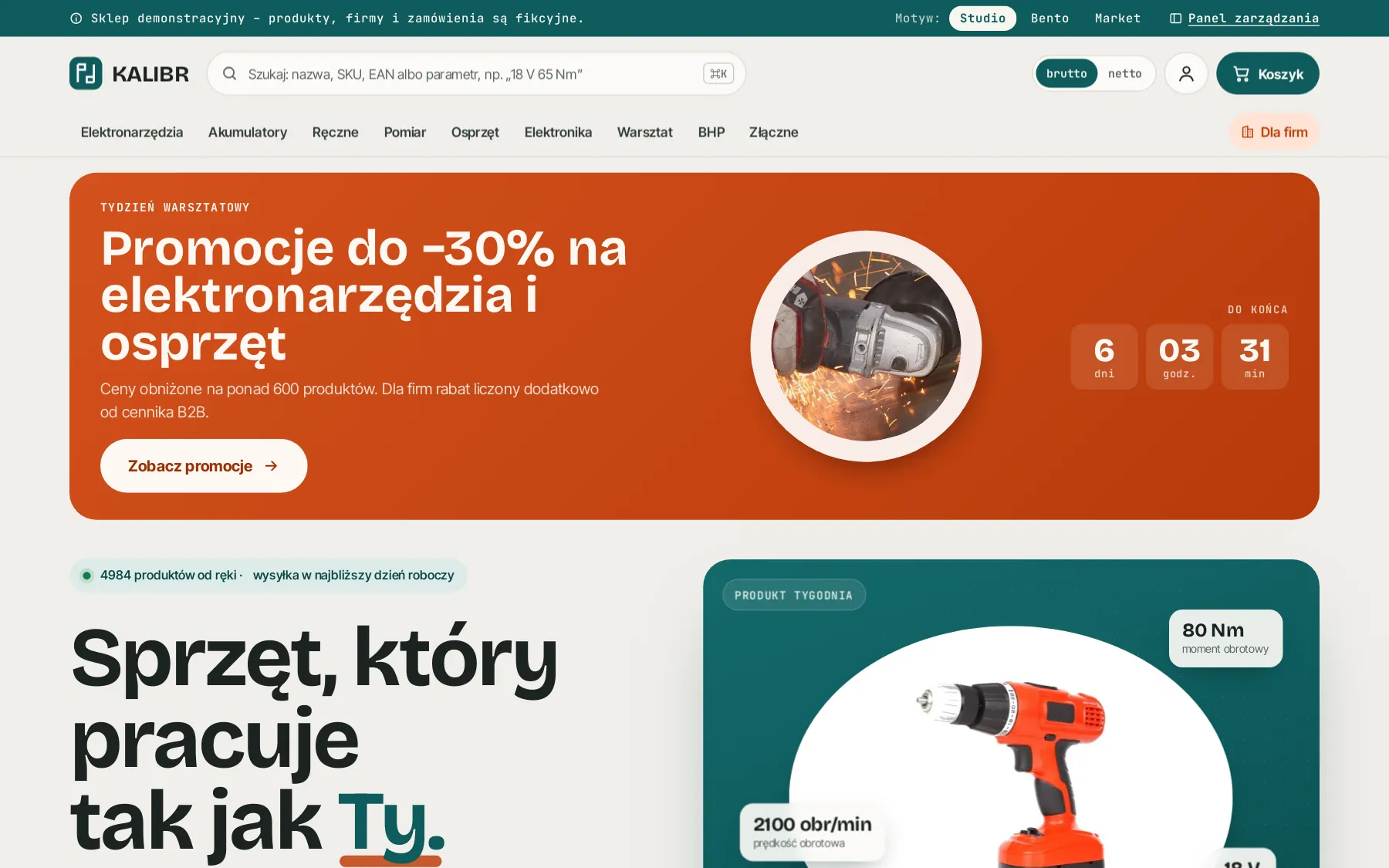
01 / what you get
One system from the storefront to the KSeF invoice
A shop is judged by what happens after “Place order”. KALIBR takes the order through payment, warehouse, courier and accounting, and the team sees every step in one panel.
- 01Designed around your brandColours, typefaces, corner radii and the home page layout are set with tokens. Three ready themes to start from, or your own.
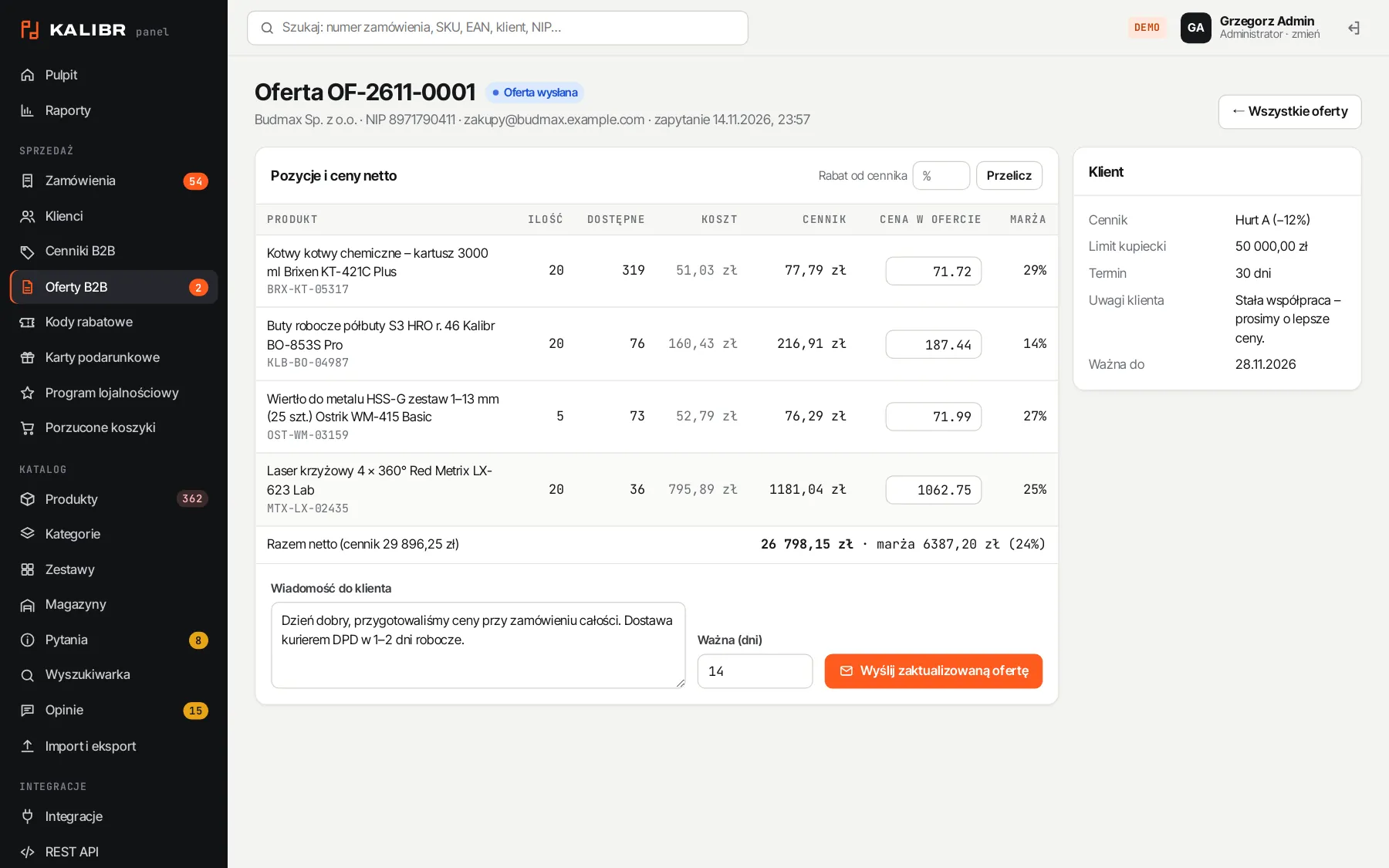
- 02Consumers and companies in one shopGross and net prices, discount price lists, credit limits with payment terms, company data from the GUS registry by tax ID, B2B quotes.
- 03Integrations includedPrzelewy24, PayU, InPost, DPD, BaseLinker, Allegro, Subiekt nexo, wFirma, KSeF, GA4, Meta and MailerLite.
- 04A panel for the whole teamOrders, products, stock across warehouses, customers, discounts and reports, with role-based permissions.
- 05A catalogue of any sizeFilters build themselves from product attributes, and search copes with typos, SKUs and EANs.
- 06Your code, your dataThe shop runs on your server, with no sales fees and no subscriptions for every extra feature.
02 / comparison
What other platforms sell as add-ons is built in here
On WooCommerce, PrestaShop, Shopify or Shoper a Polish B2B shop is usually assembled from plugins, modules and paid apps. In KALIBR these features are part of the system and share the same data.
| Feature | KALIBR | Typically on boxed platforms |
|---|---|---|
| Net prices, company price lists, credit limits, B2B quotes | built in | a separate B2B plugin or a higher plan |
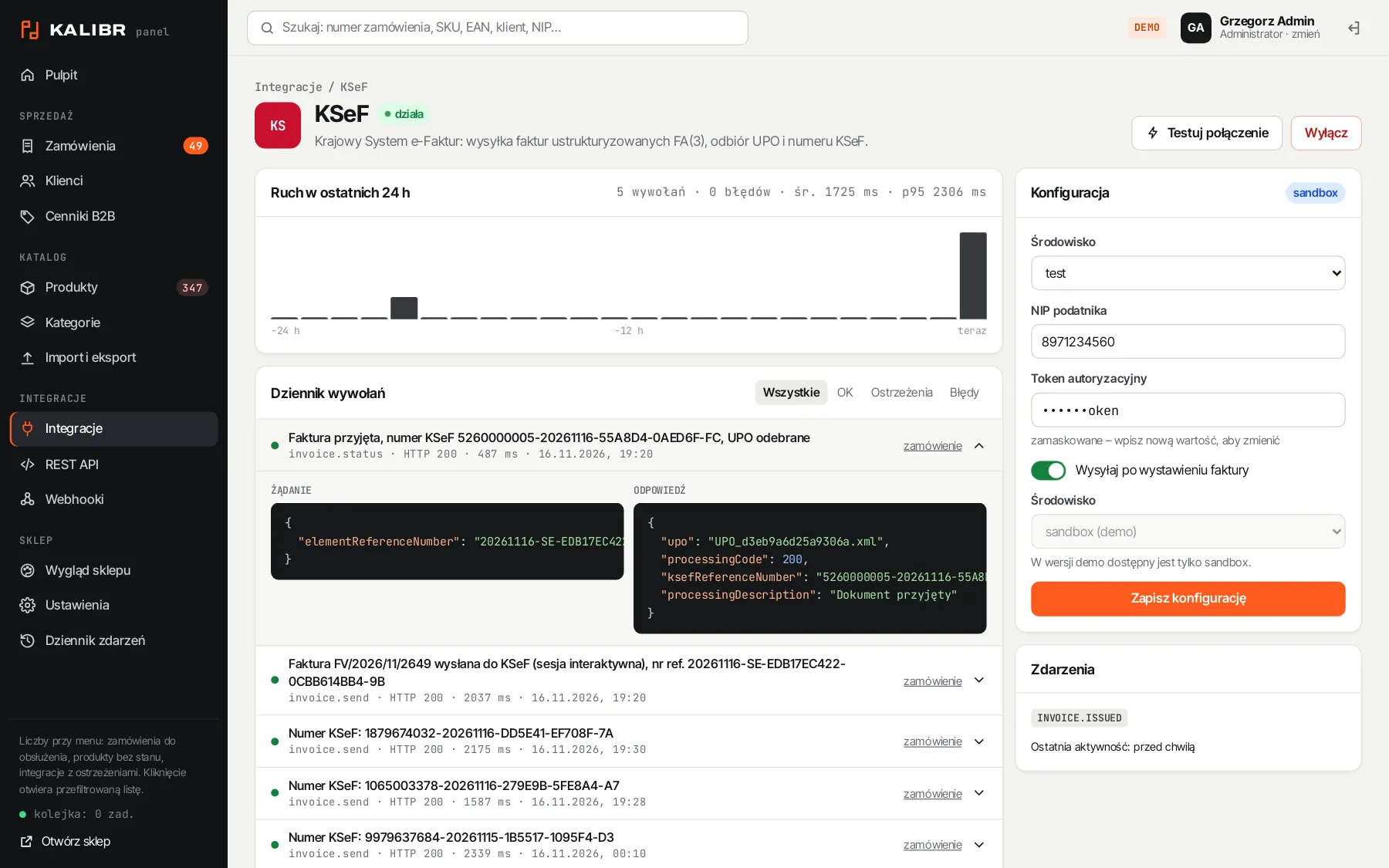
| KSeF, wFirma, Subiekt nexo, BaseLinker, Allegro | built in, with a log of every call | separate modules from different vendors |
| Omnibus: lowest 30-day price on every promotion | calculated automatically from price history | a plugin or a manual field |
| Discount codes, bundles, gift cards, points and referrals | built in, calculated together in the cart | several separate apps |
| Multiple warehouses with stock per location | built in | a plugin or an external system |
| Margin and stock turnover reports with XLSX export | built in | a plugin or a spreadsheet export |
| Design | fitted to the brand, no template limits | a ready theme with limited changes |
| Running costs | server and support | subscription, commissions and add-on fees |
- 15
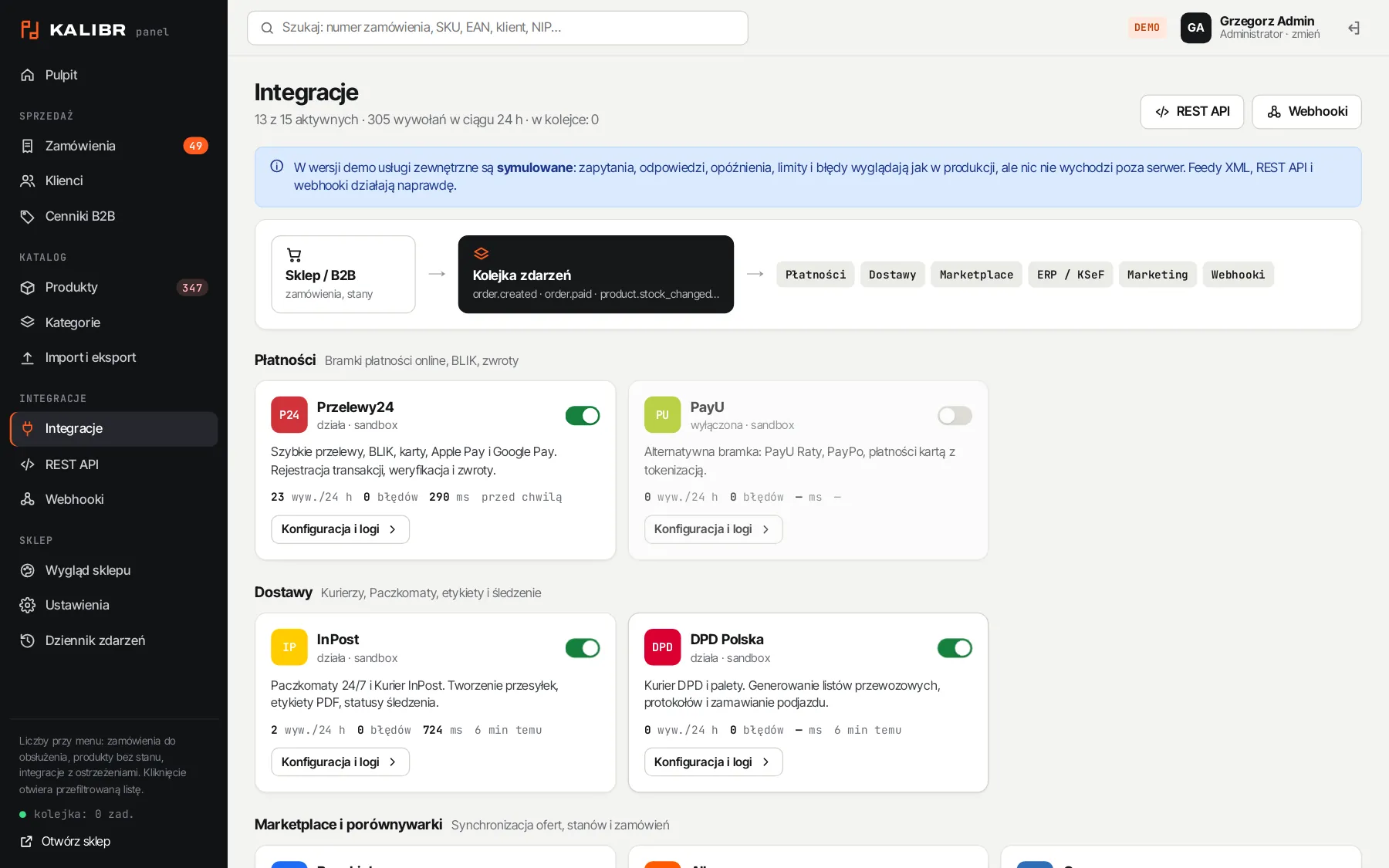
- integrations in 5 groups, with settings, connection test and log
- 3
- ready themes to start from, each repaintable for your brand
- 4
- panel roles: admin, sales, warehouse, read-only
- 5
- reports with charts and CSV and XLSX export
03 / design
One engine, any brand character
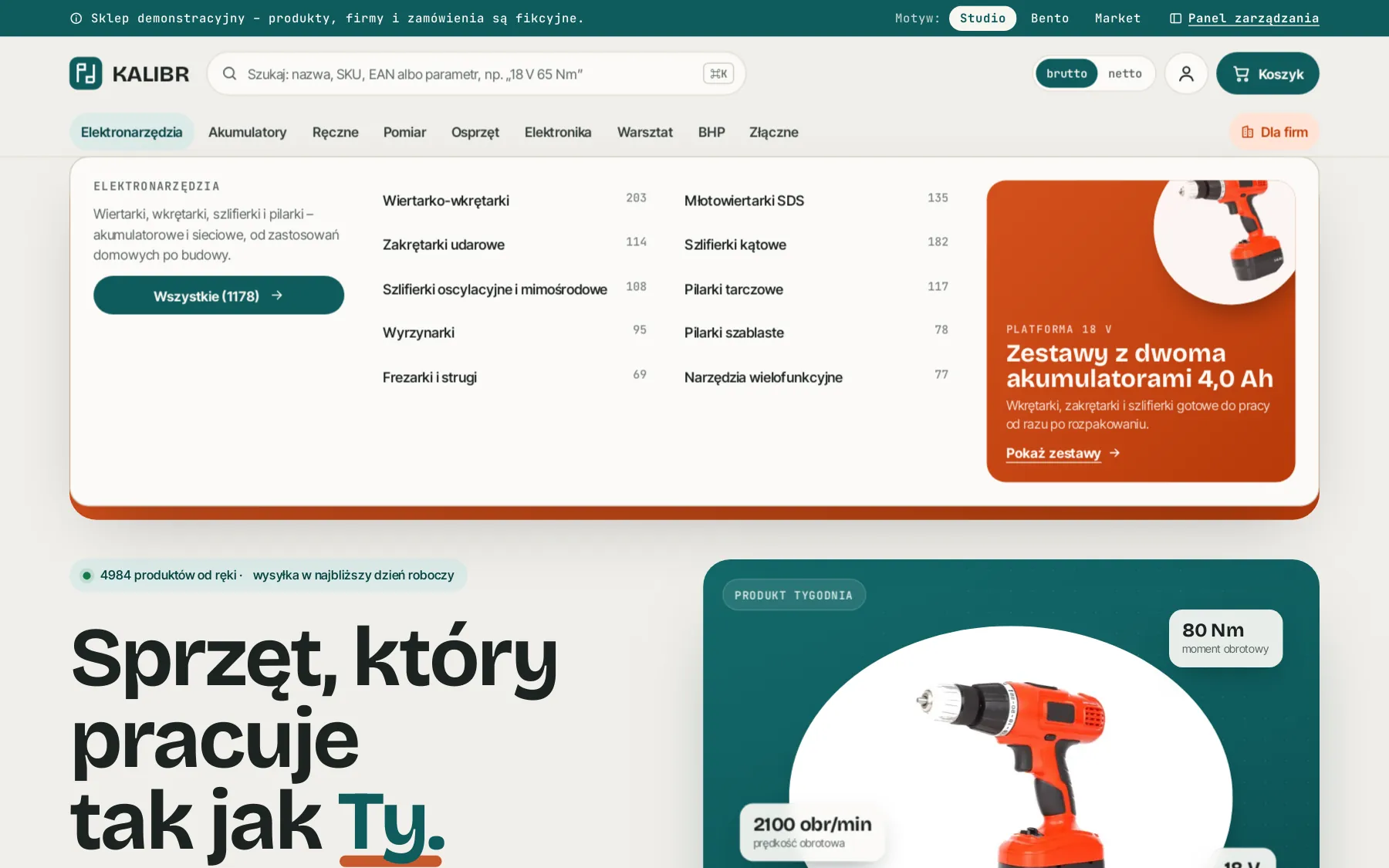
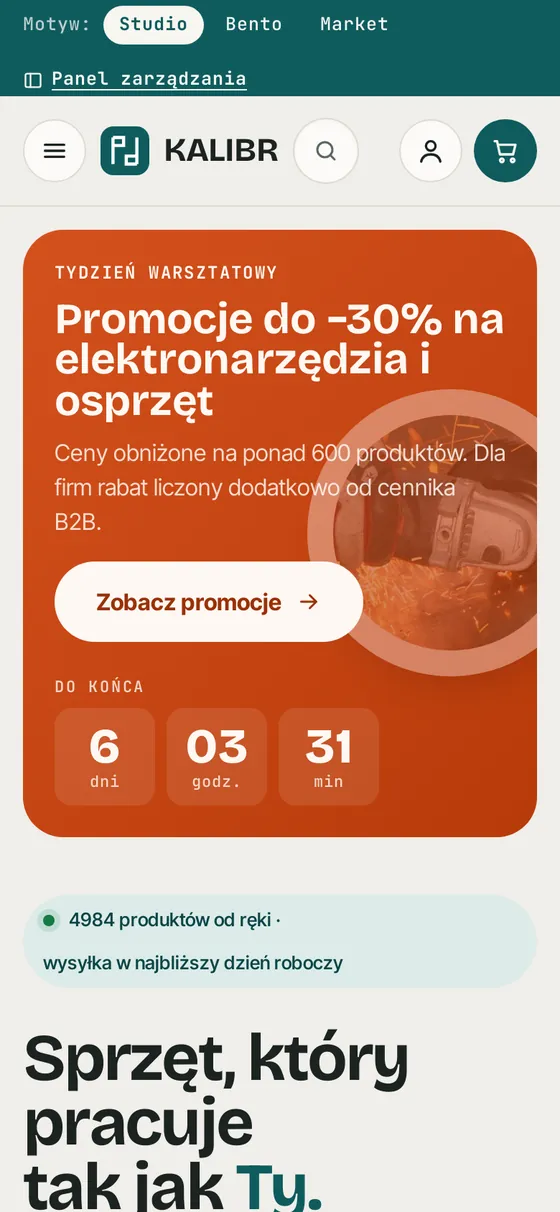
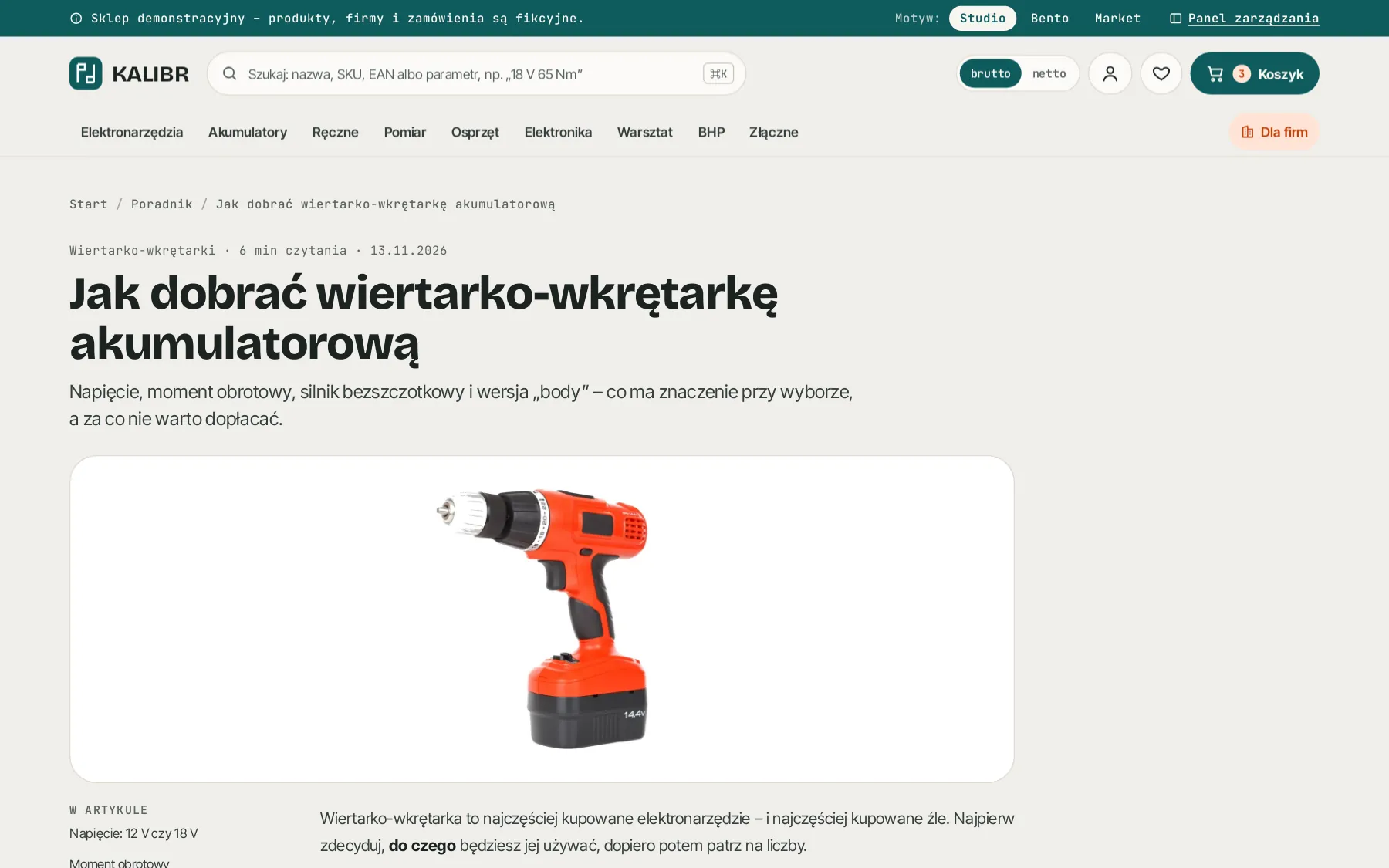
The look of the shop is built on tokens: colours, typefaces, radii and shadows. A new brand means a new token set and home page layout, not rewriting the shop. The three themes show how different the same shop can look.
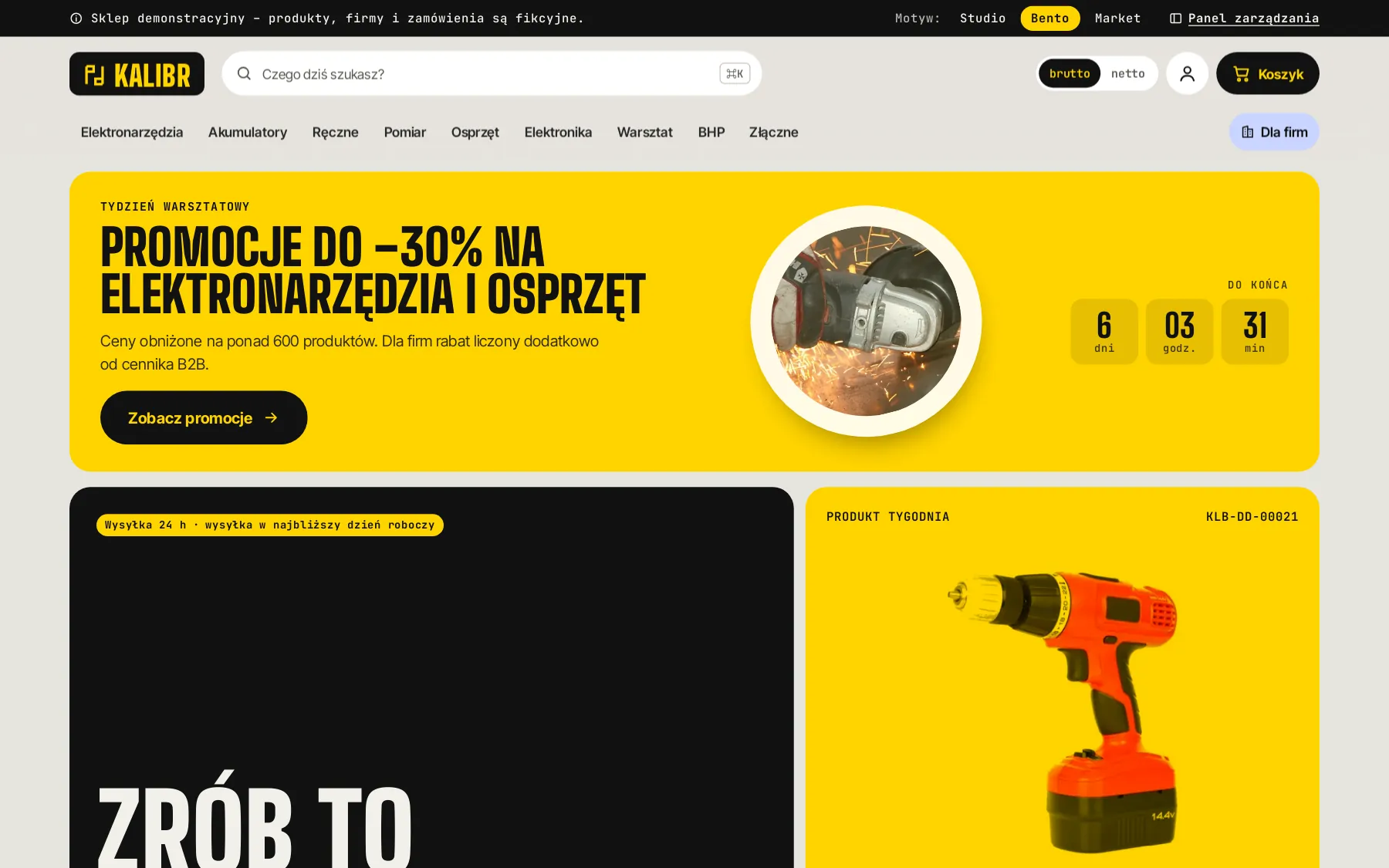
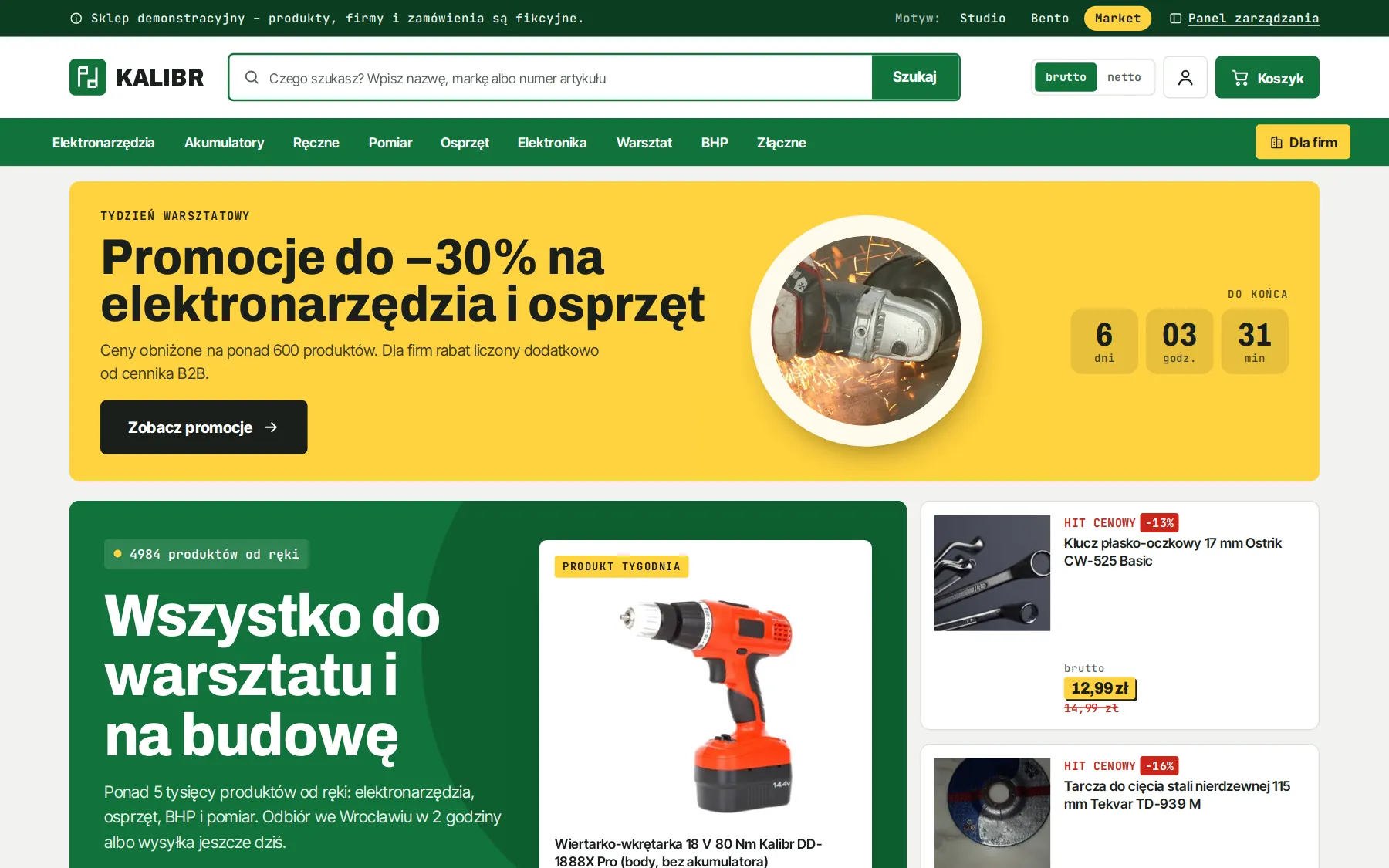
Tokens, not a template
- colours, typefaces, radii and shadows as variables
- every component uses the tokens
- a custom home page layout for the brand
Campaigns without a developer
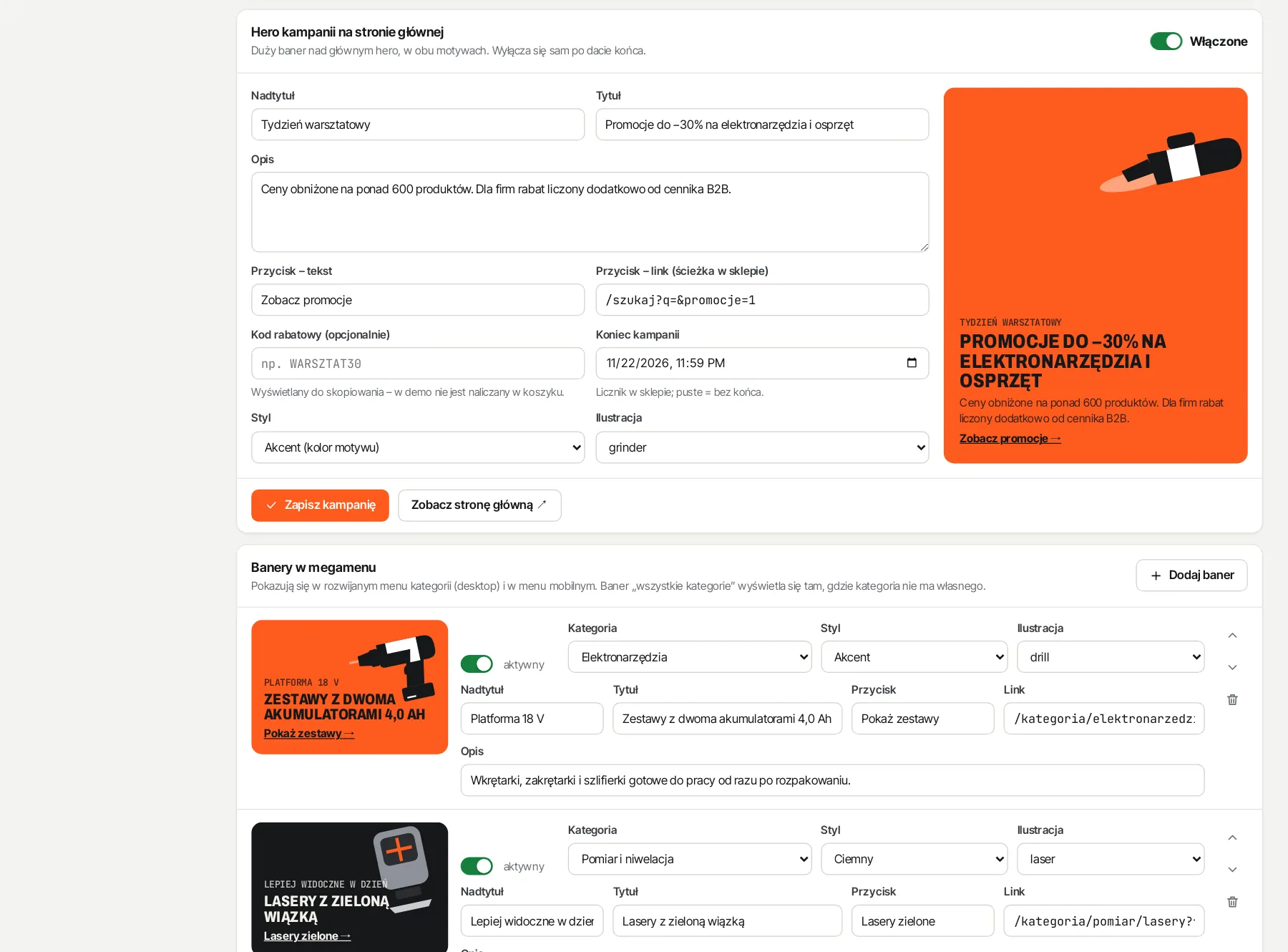
- campaign hero with a countdown and end date
- category menu banners with preview
- product of the week chosen by SKU
Fast and accessible
- server-rendered pages
- full keyboard and screen reader support
- a comfortable phone layout
04 / shop
Customers find products by what they actually need
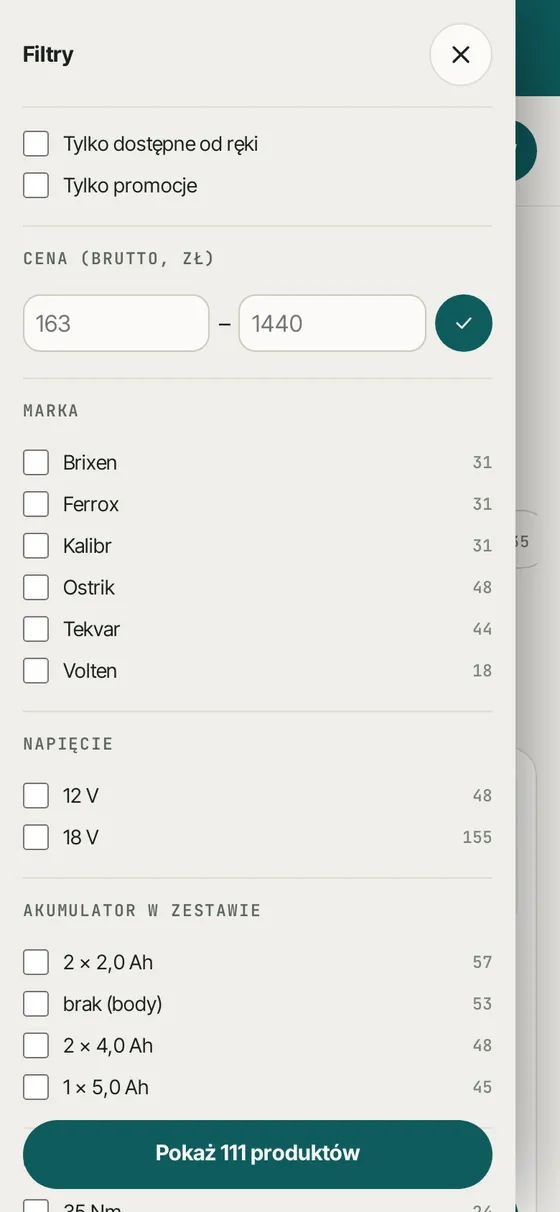
Voltage, size, colour, material, protection class: product attributes turn into filters on their own. Customers narrow the choice in a few clicks and never land on an empty list.
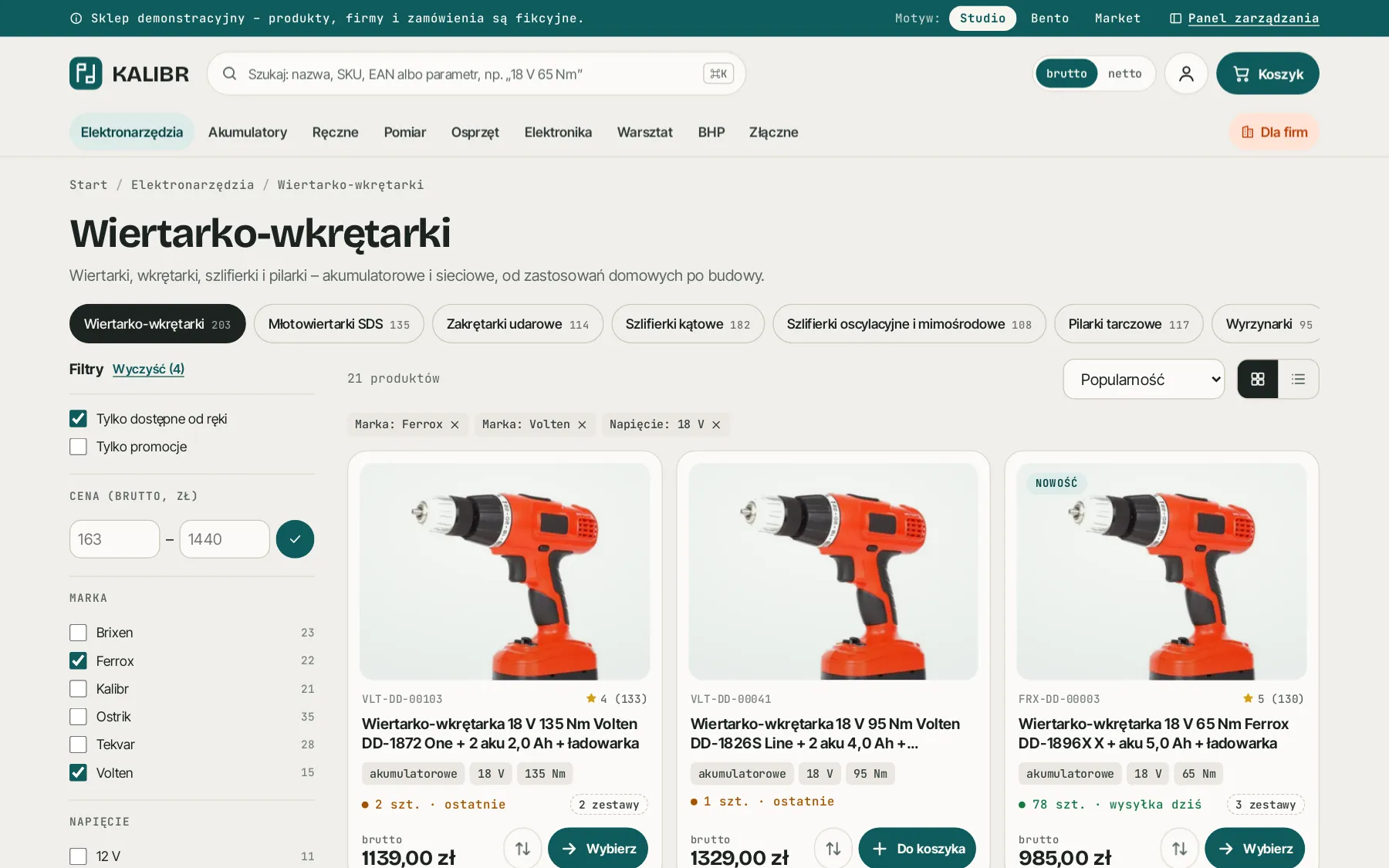
Filters from data, not configuration
A new attribute added to a product in the panel immediately shows up as a filter in the shop. Nothing has to be set up per category.
Forgiving search
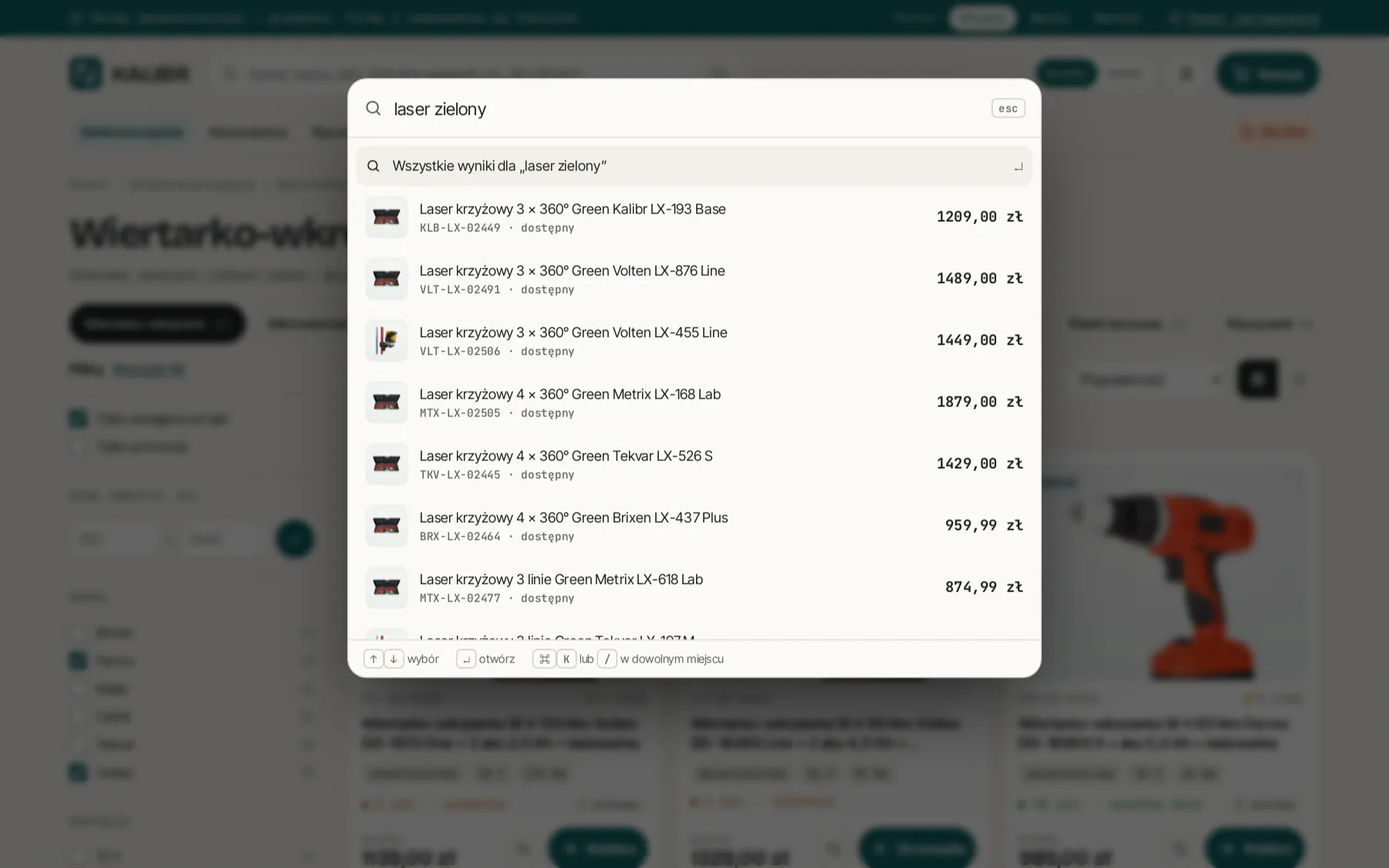
Ctrl+K or “/” opens search by name, SKU and EAN. A typo doesn’t end in an empty list, and synonyms are managed in the panel.
Net or gross
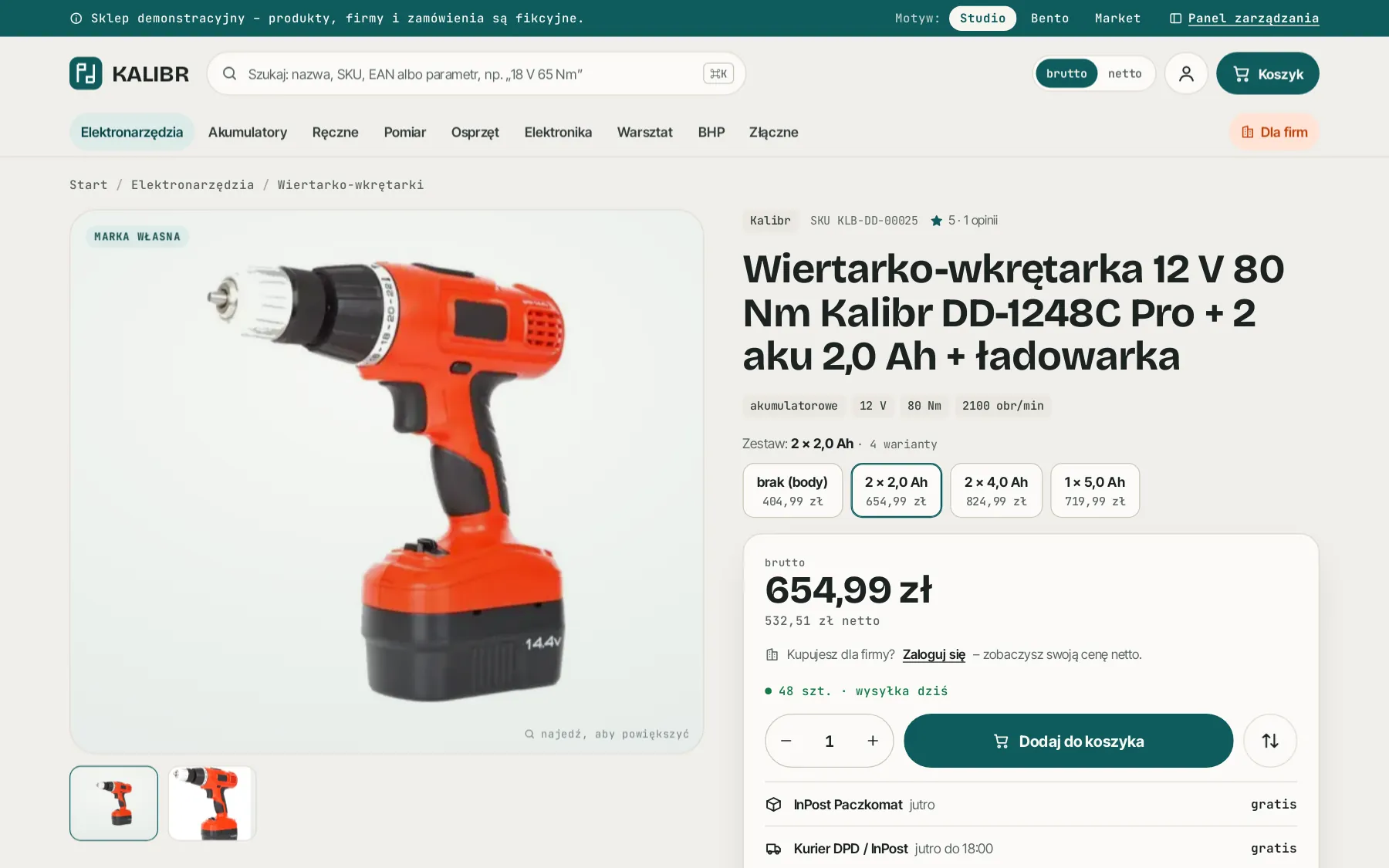
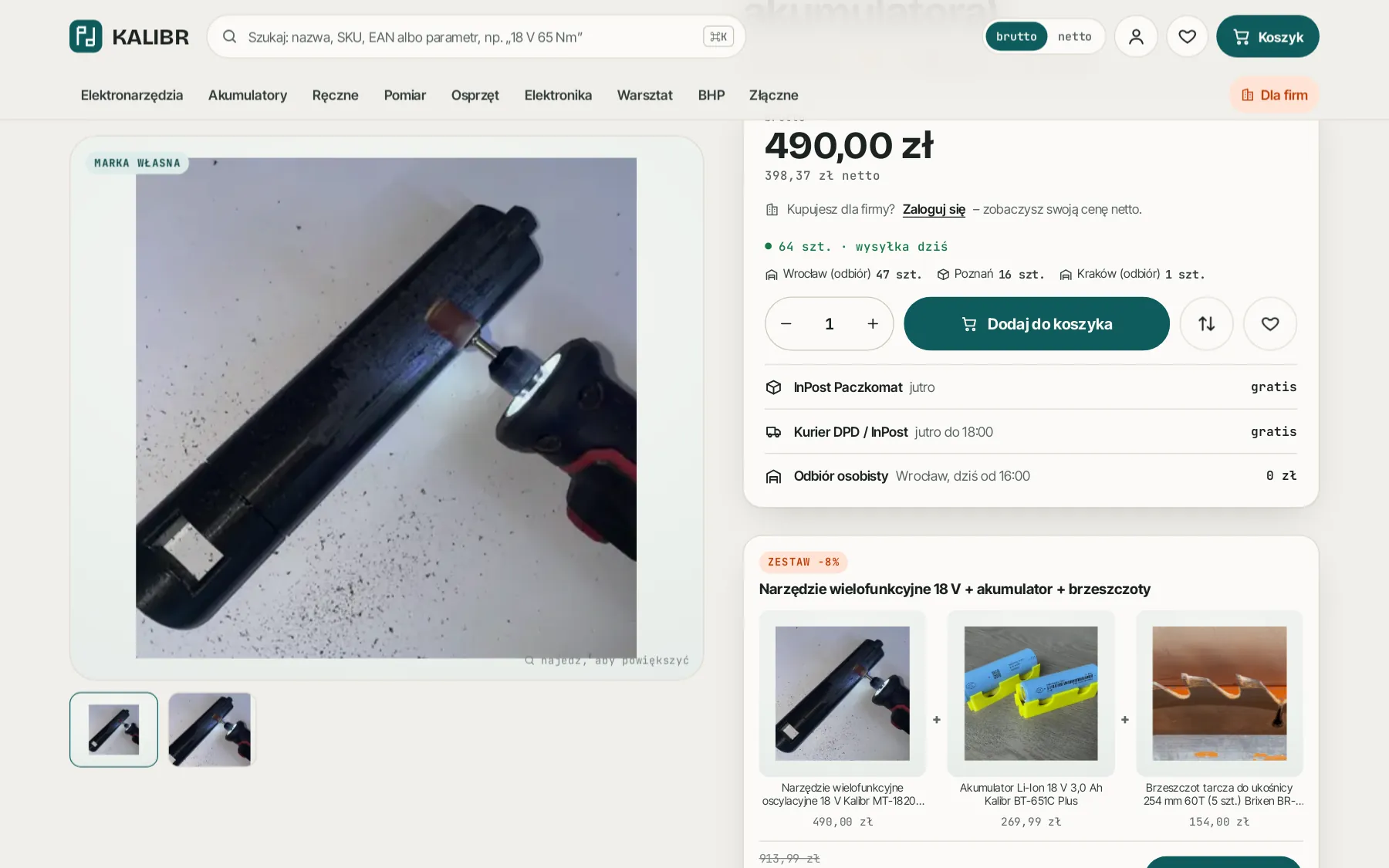
A logged-in company sees net prices from its own price list. A consumer sees gross prices and, on promotions, the lowest price from the last 30 days.
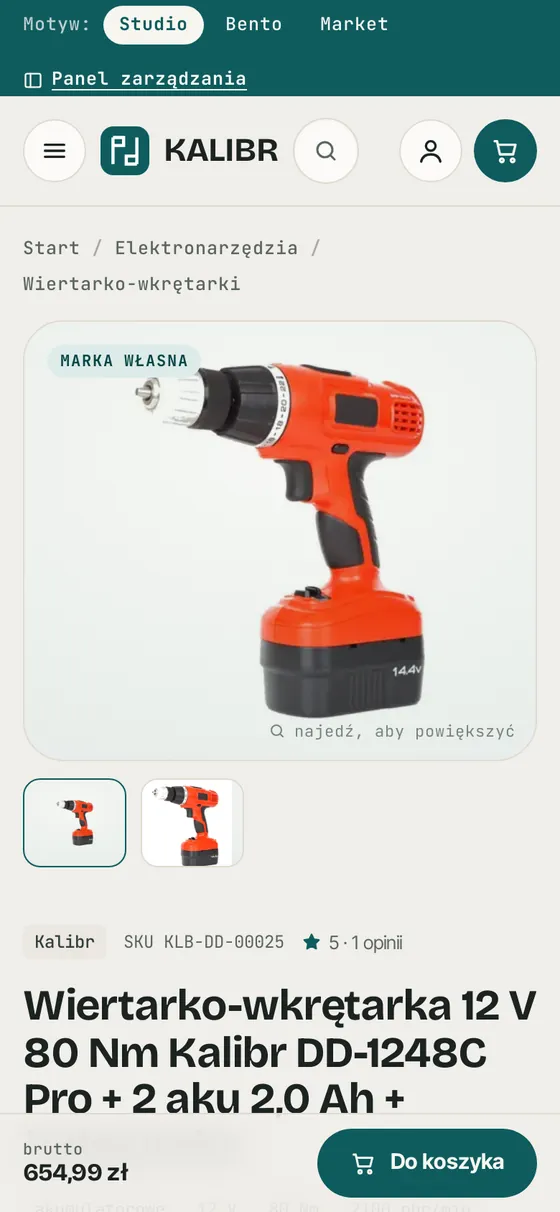
Variants, galleries, size charts
Sizes, colours and kits are variants of one product, each with its own photo, price and stock. Plus a gallery, video and a size chart.
05 / sales and marketing
Tools that grow the basket and bring customers back
Discounts, bundles, reviews, a loyalty programme and business quotes work from day one, with statistics in the panel.
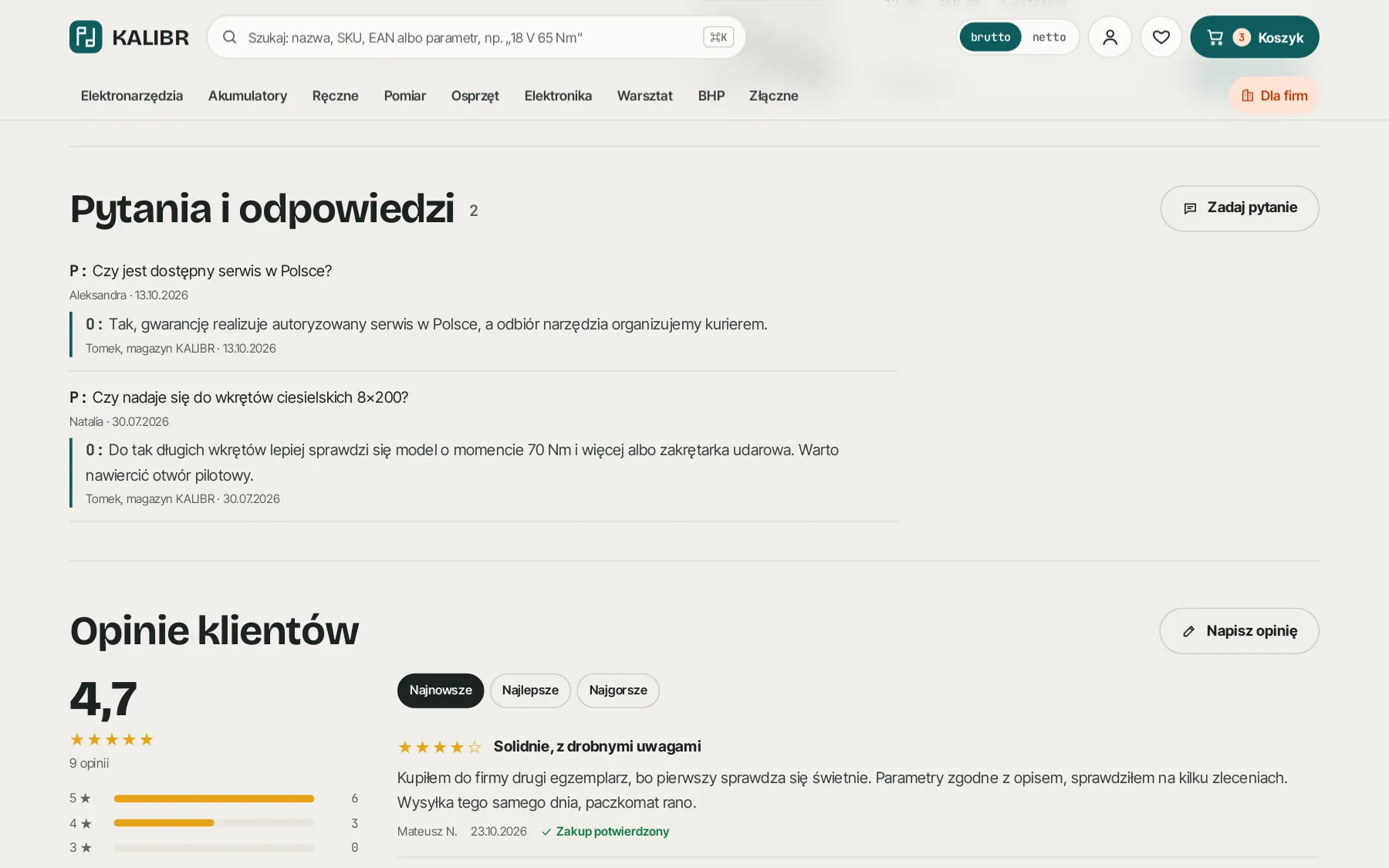
Bigger baskets
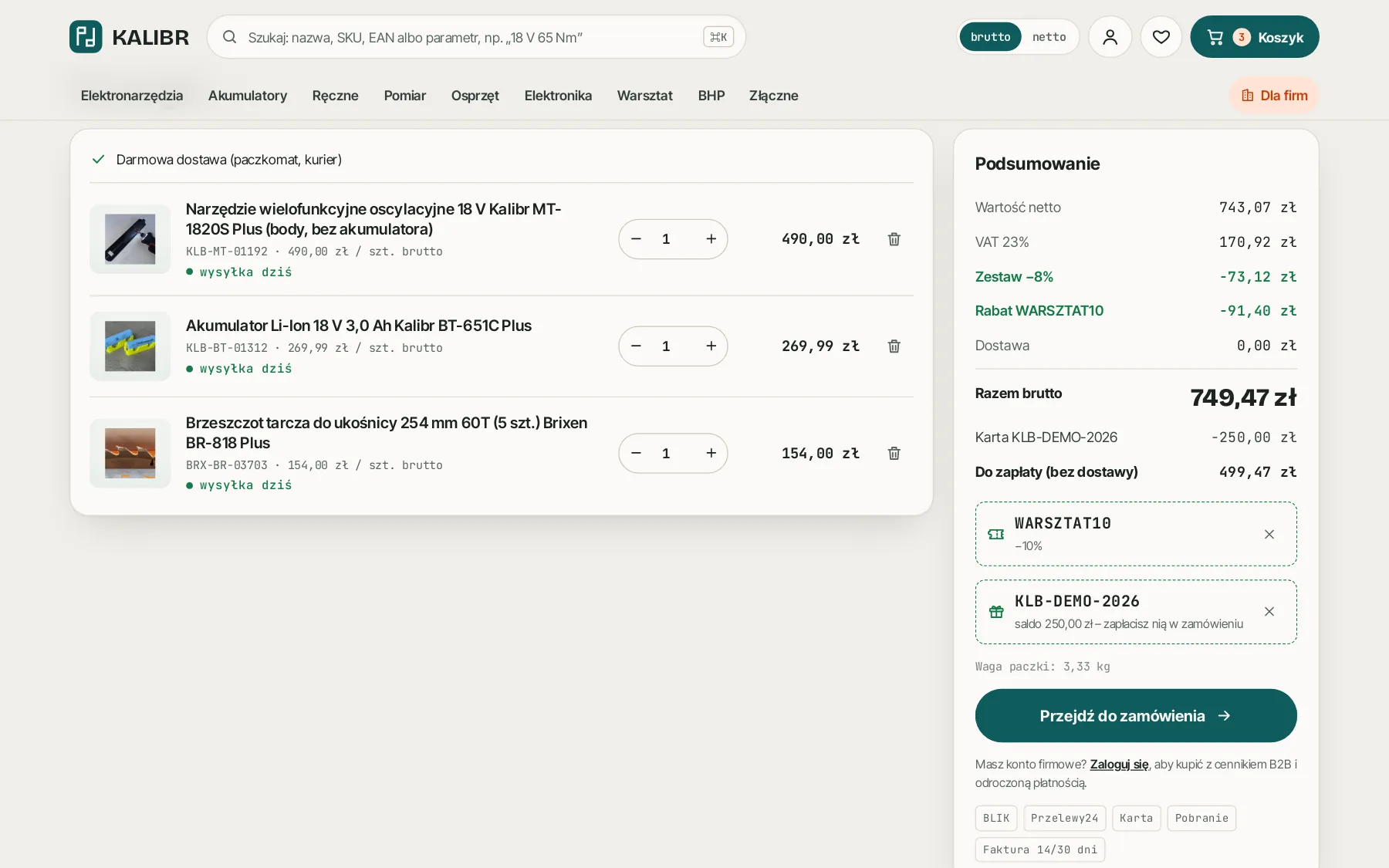
- discount codes with conditions and limits
- bundles with automatic discounts
- gift cards and loyalty points
- referrals: a discount for the friend, points for the referrer
Returning customers
- abandoned cart reminders
- “notify me when available” and wishlists
- “order again” and returns in the account
- transactional e-mails at every step
Compliance and visibility
- Omnibus from price history in the database
- JSON-LD, sitemap, canonical URLs
- meta titles and descriptions from the panel
- Ceneo and Google Merchant feeds
06 / order and integrations
One order, seven systems, no retyping
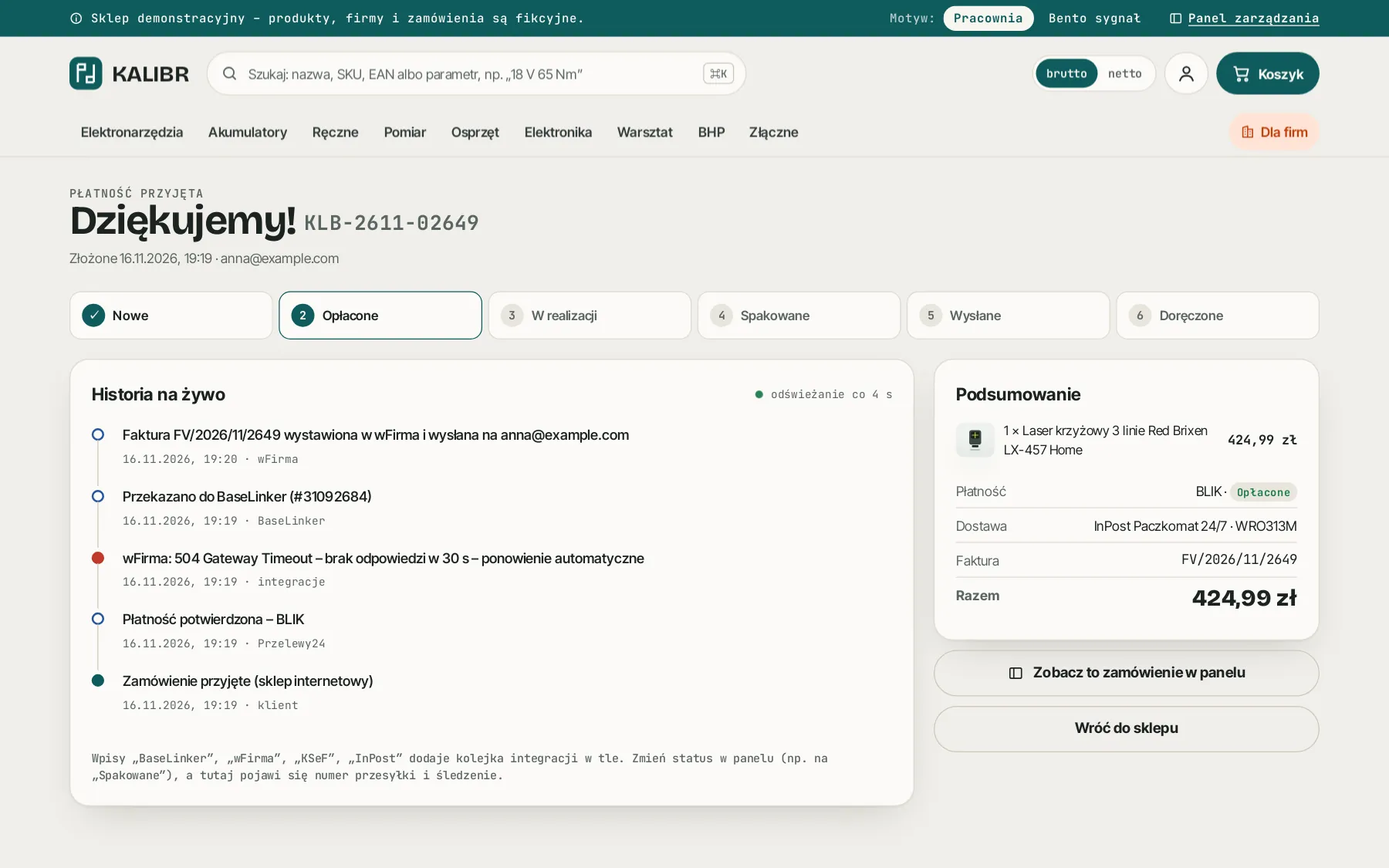
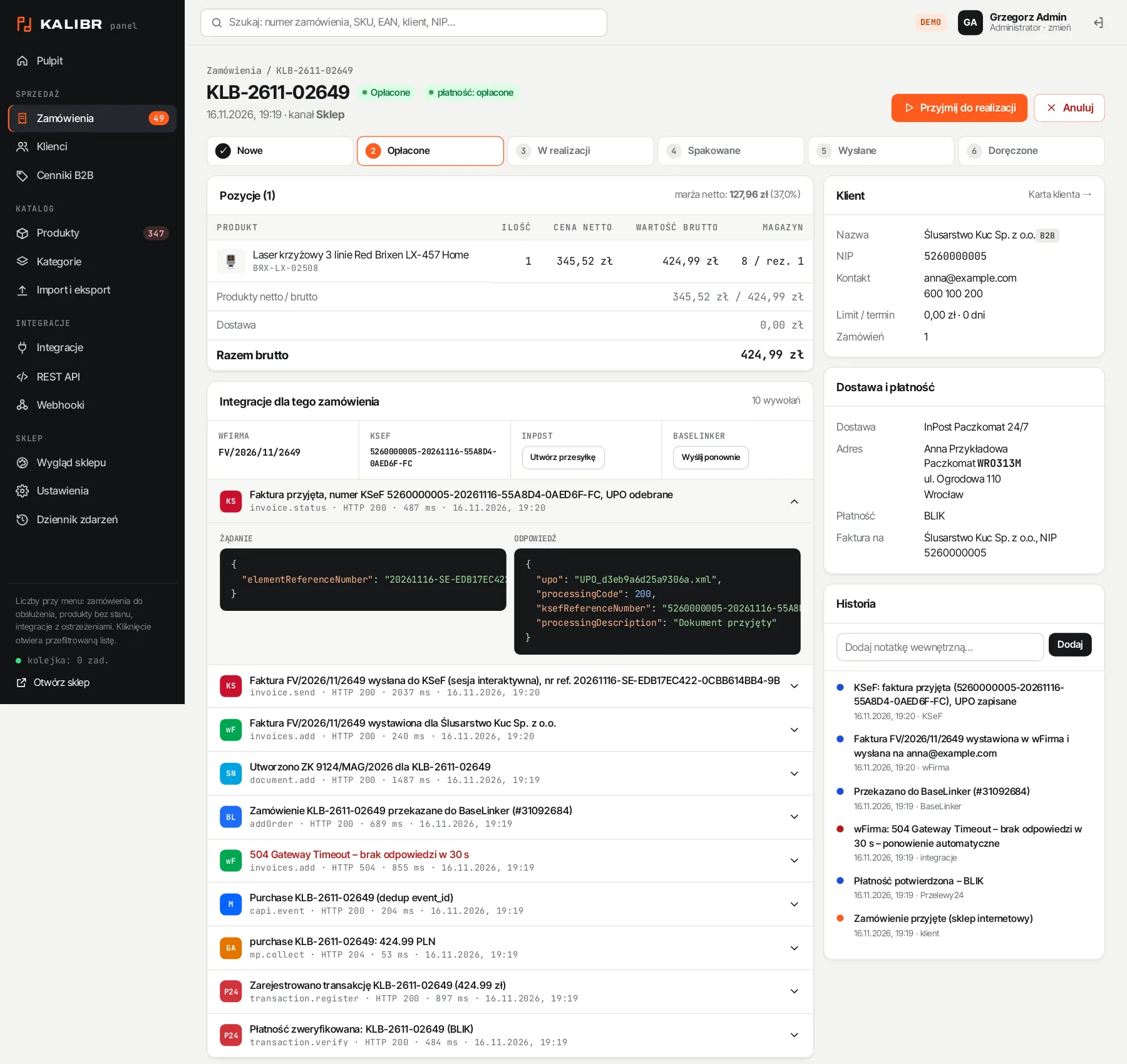
Every order change goes into an event queue. The queue passes it on to payments, the courier, BaseLinker, accounting and KSeF, retries failed calls on its own and logs every request with its response. Nothing gets lost, even when an external service is briefly down.
07 / panel
A back office where the team runs sales from morning to dispatch
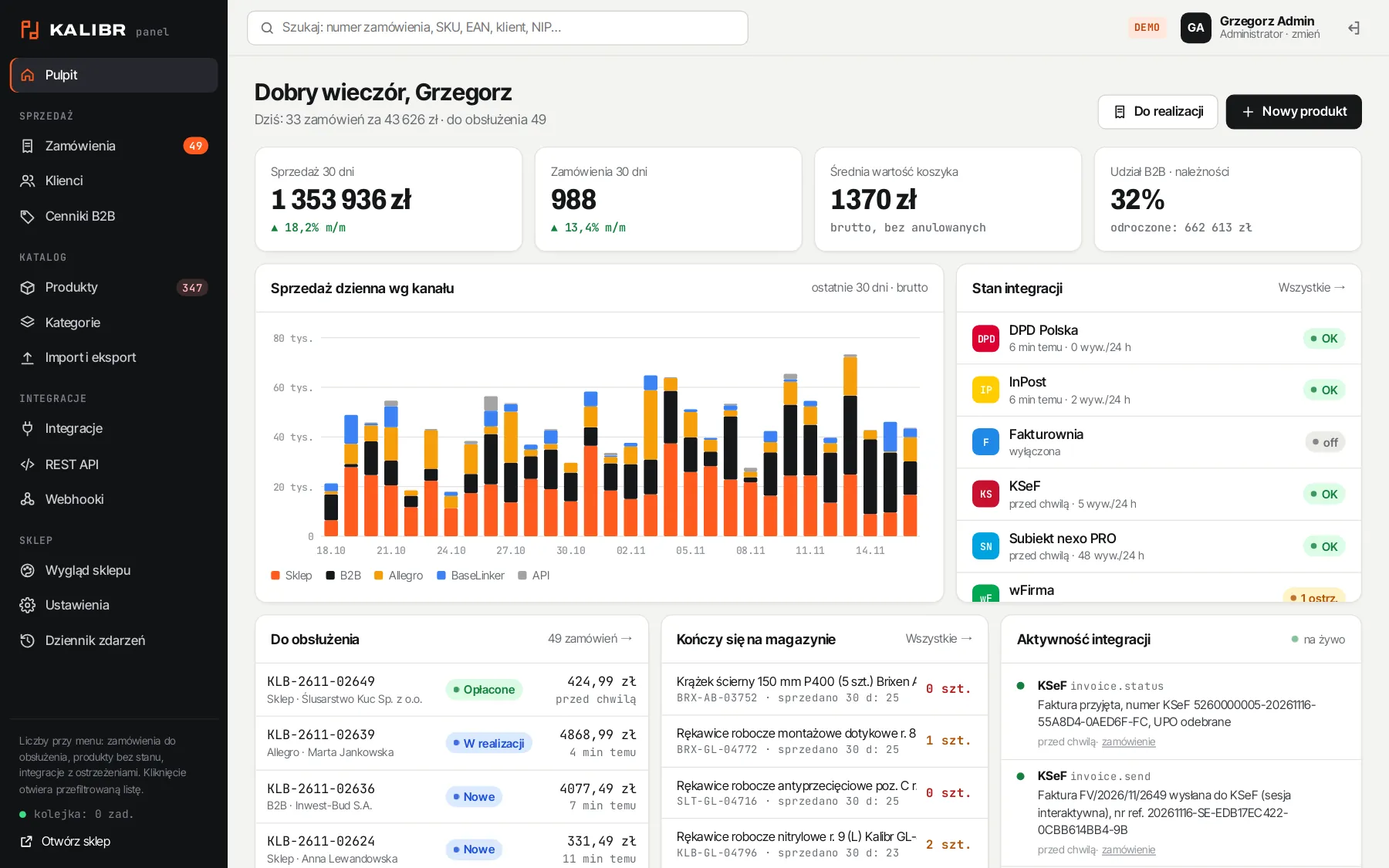
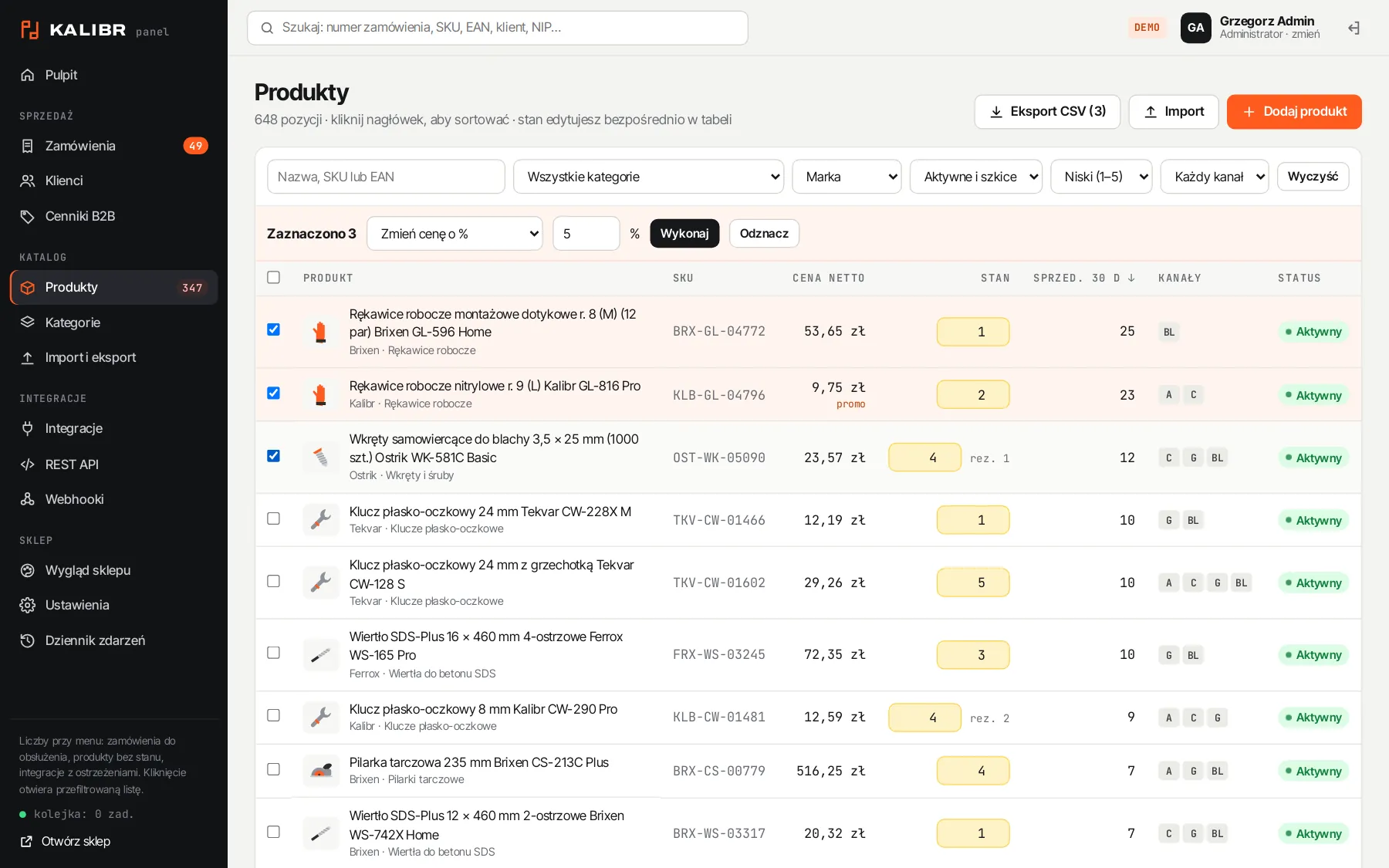
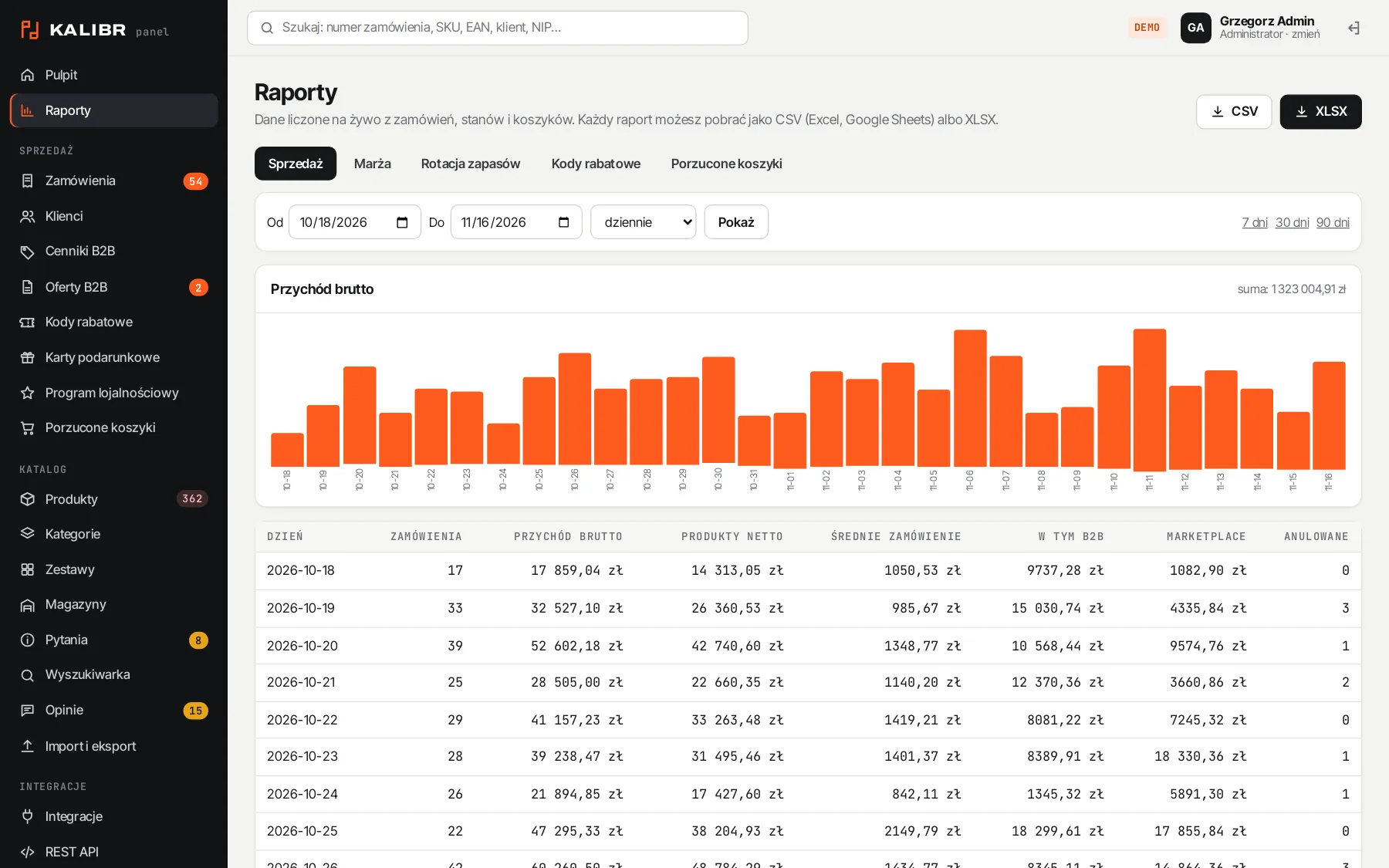
Dashboard, orders, products, warehouses, customers, discounts, content and reports in one place. Each employee sees only their own area, and the server checks permissions on every operation.
Administrator
Full access: integrations, API keys, webhooks, shop appearance and settings.
Sales manager
Products, prices, orders, customers, price lists and B2B quotes. Integrations read-only.
Warehouse
Stock per location, transfers, picking, parcels and shipping labels.
Read-only
Everything visible, nothing editable: for accounting, management or a partner agency.
08 / API and security
Open to your systems, closed to intruders
A REST API, webhooks and product feeds connect the shop to a customer’s purchasing system, a wholesaler or your own ERP. Security is built in, not bolted on.
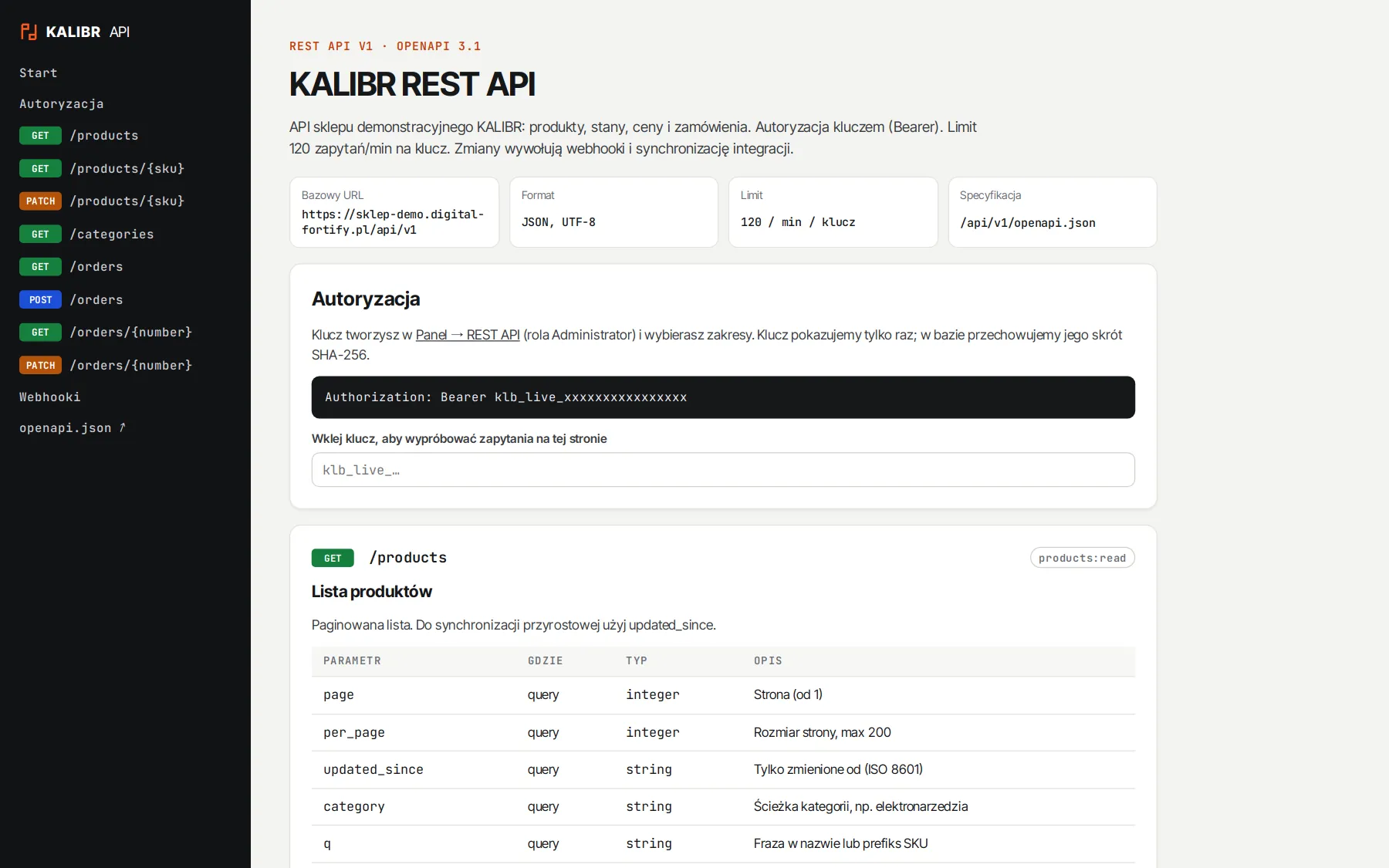
Scoped REST API
Products, categories, stock and orders. Keys have scopes (e.g. read stock only), only a hash of the key is stored, and requests are rate limited.
Signed webhooks
10 event types, an HMAC-SHA256 signature with a timestamp and 4 delivery attempts. Internal network addresses are blocked.
Product feeds
Ceneo XML, Google Merchant and CSV generated from current prices and stock.
Hardened headers
Content-Security-Policy without inline scripts, secure cookies, CSRF protection on forms and rate limits on login, orders and search.
09 / deployment
From the first call to selling under your brand
Workshop
We agree on sales channels, pricing rules for businesses, warehouses and the systems the shop needs to talk to.
Design in your brand colours
Colours, typefaces and home page layout to match your identity. Start from one of the three themes or a design from scratch.
Catalogue and customers
Moving products, photos, customers and redirects from the old shop, so you keep your Google rankings.
Integrations
Connecting your accounts with payments, couriers, BaseLinker, Allegro, your accounting system and KSeF.
Launch and support
Testing the whole order path, team training, go-live, backups and monitoring.
technologies
The demo runs on a sample brand, KALIBR, with a tool catalogue. Manufacturers, companies and customers are fictional, and demo data resets every night, so feel free to try everything in the shop and the panel.
next step
Facing a similar challenge?
Tell me what you want to achieve. I'll come back with a concrete proposal, a quote and a delivery plan.