Autosave, even offline
Saving runs in the background. If the connection drops, changes wait in the browser and are saved once it returns.
case study · web application
BoardForge is my own studio for board and card game designers. In one place you design cards and boards, keep the game data in a table, play a test game on a virtual table and print a prototype at home. No graphic design skills, no spreadsheets full of formulas and no subscription.
01 / starting point
A typical prototype means a graphics editor for the look of the cards, a spreadsheet for the stats and a pair of scissors. Every balance tweak means reworking cards by hand, and a playtest needs a fresh print. BoardForge brings these steps into one application for first-time designers, designers of games with hundreds of cards, print & play authors and playtest groups.
Changing one stat means a manual fix in a graphics file. With hundreds of cards the table and what reaches the table top easily drift apart.
Text that is too small, a caption next to the cut line or a blurry image only show up after printing, once ink and time are spent.
When the card template changes, tweaks made to individual cards silently disappear or block changes to the whole deck.
To check whether the game works, you have to print it and cut it out. Notes from the session end up on scraps of paper rather than on a list of fixes.
An idea for a game should not require graphic design or programming skills. The first working prototype should be ready the same evening.
Designing a game takes months. Saving should happen on its own, every change should be undoable, and the files should belong to the author, not to the service.
02 / metrics
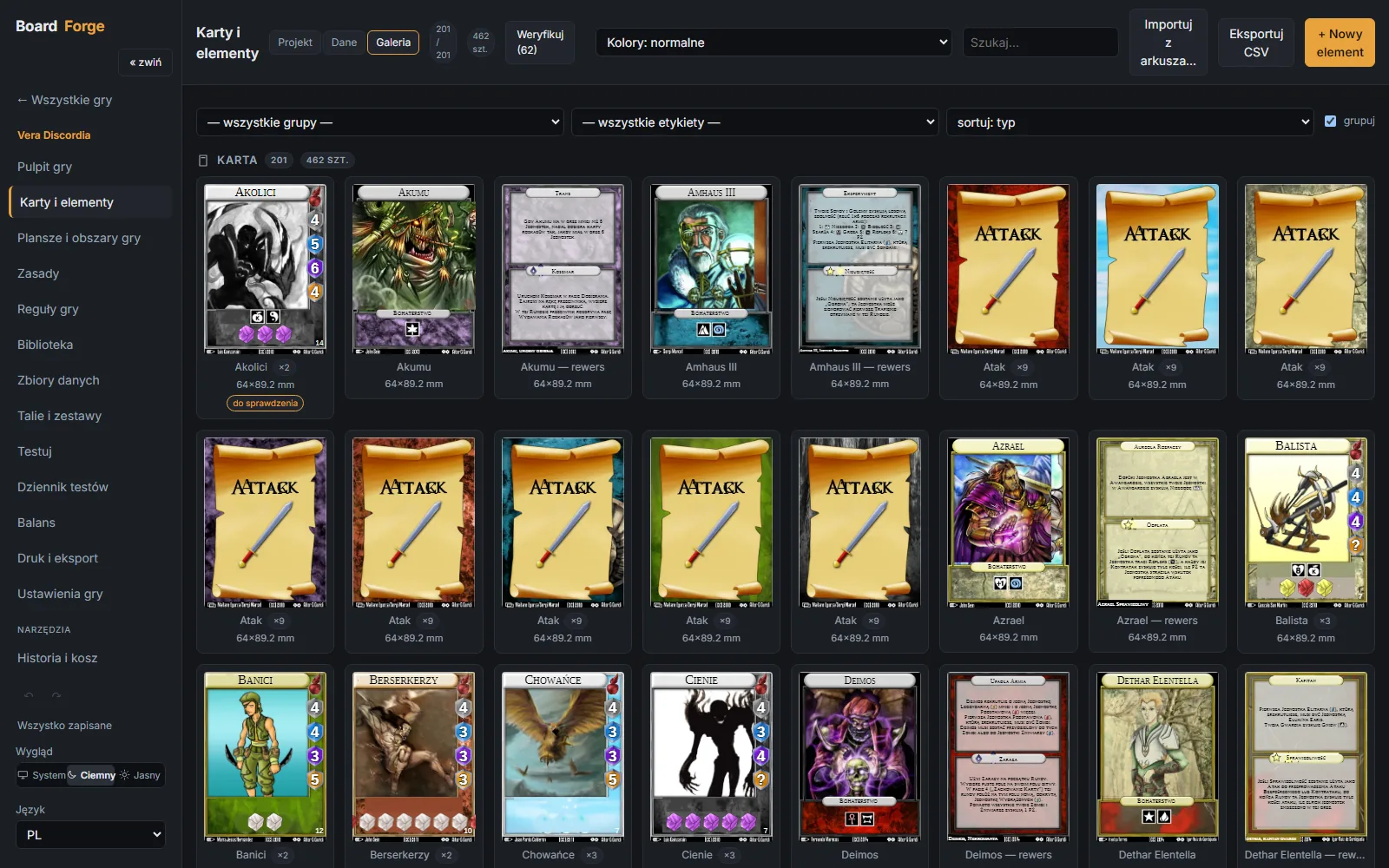
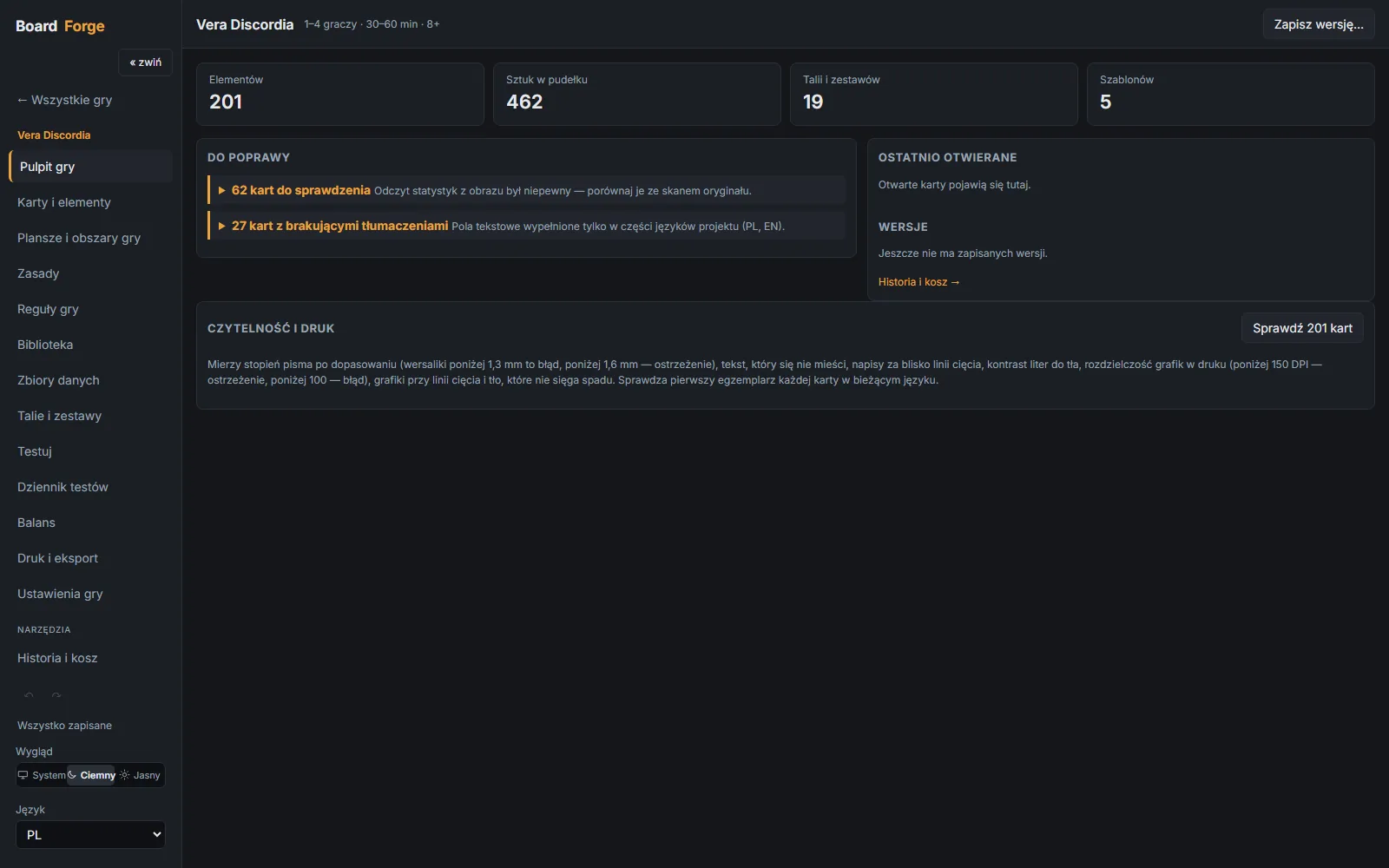
Figures from the test project: the Vera Discordia card game brought into BoardForge, read from the game dashboard, the card studio and the print wizard of the running application (November 2026).
03 / architecture
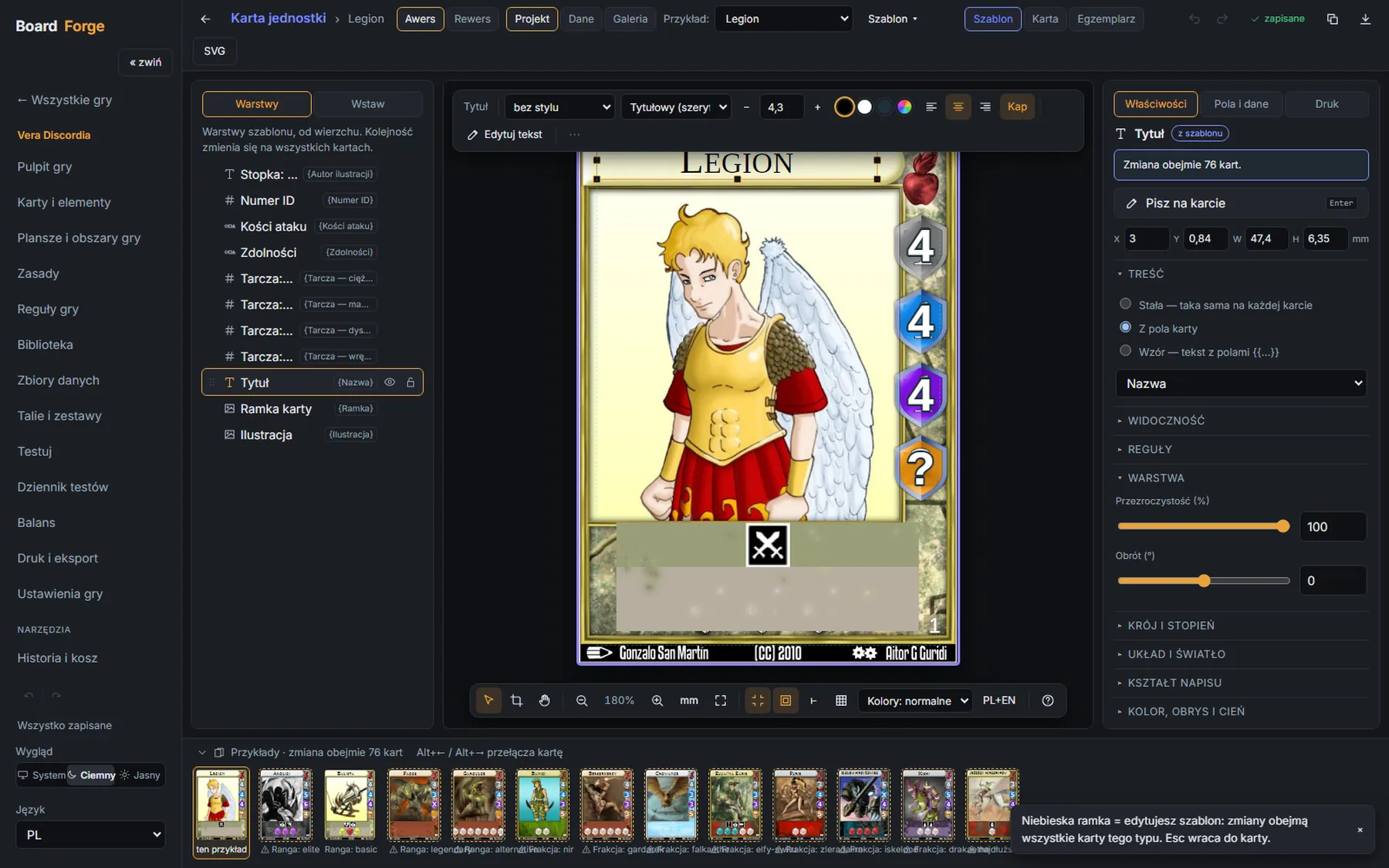
Every card is built from layers of information. You fix a thing once, in one place, and manual exceptions never silently disappear.
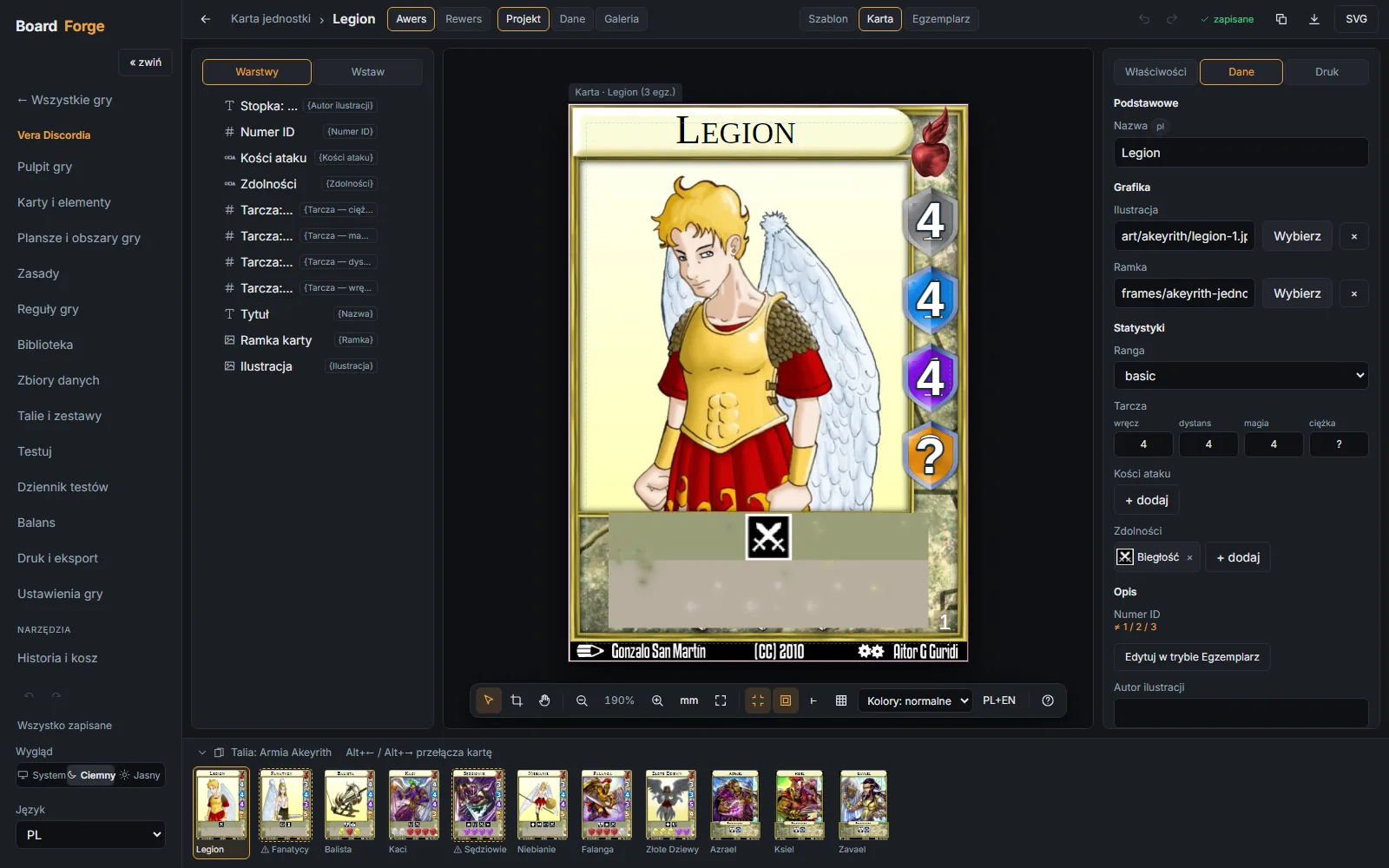
The application distinguishes three levels: the template for all cards, a single card and a single copy of it. Indigo means working on the template, amber a change to one card only, and a message states plainly how many cards the edit will affect.
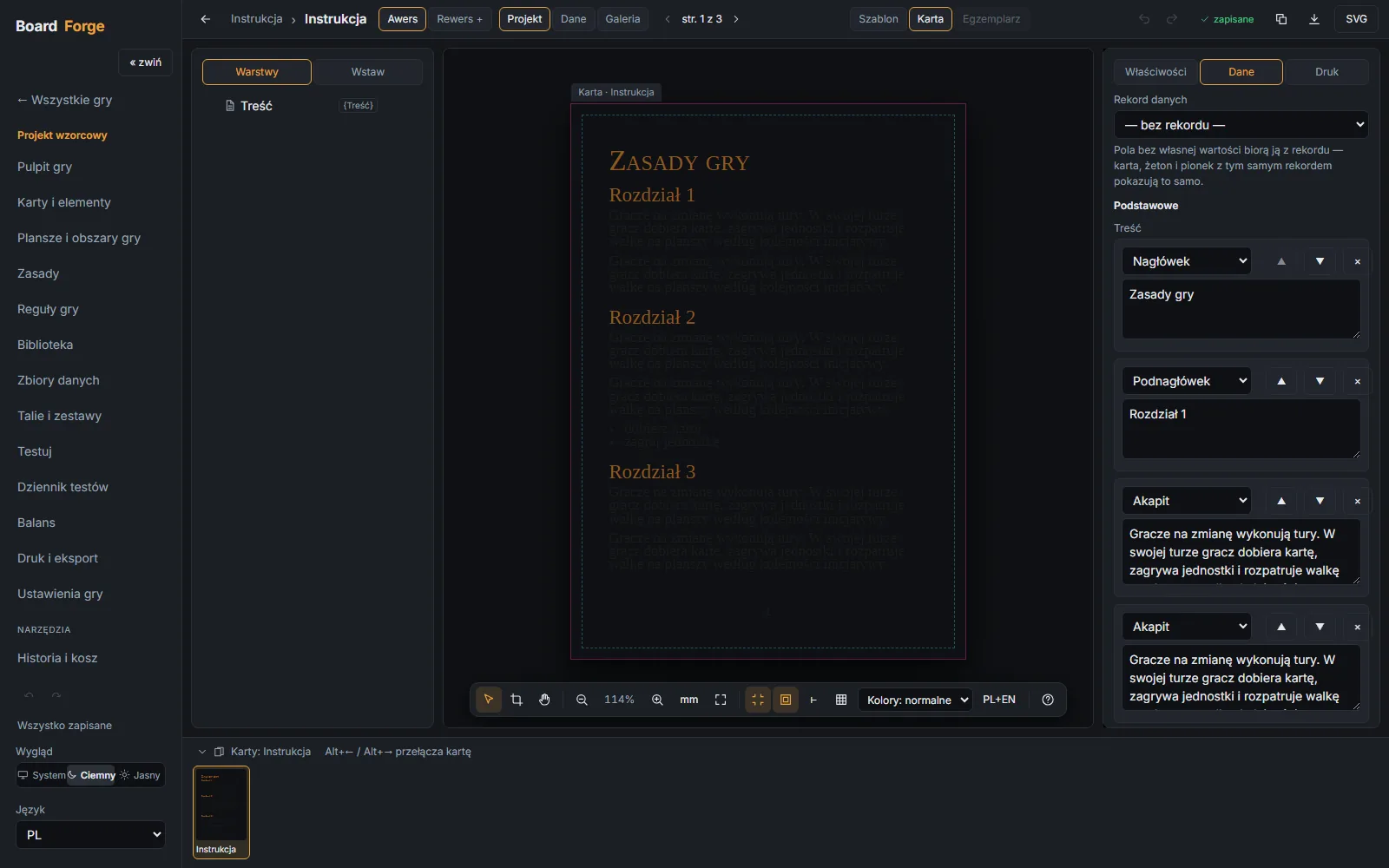
Cards and boards are drawn by a custom SVG engine in the browser, so every change is visible instantly. The same renderer powers the editor, the test table and the PDF, and an automated Playwright test compares both versions of a card pixel by pixel.
Layers are dragged as in a graphics editor and text is typed on the canvas. Inline icons, rows of dice and symbols, and image cropping work without a separate tool.
04 / game data
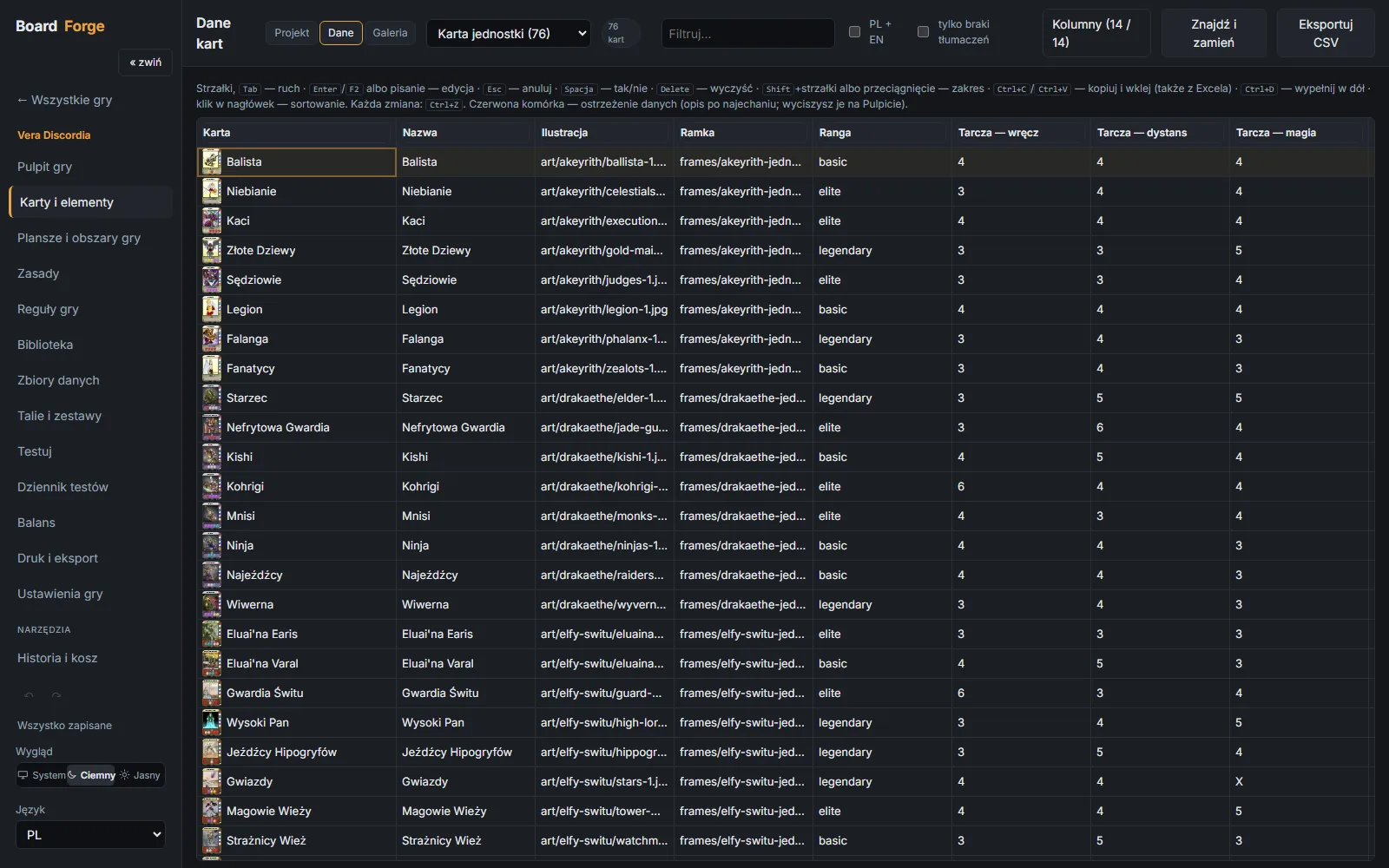
The table works like a spreadsheet: select a range, paste, fill down. The cards change along with it, and the game dashboard points out what still needs attention.
05 / boards and playtests
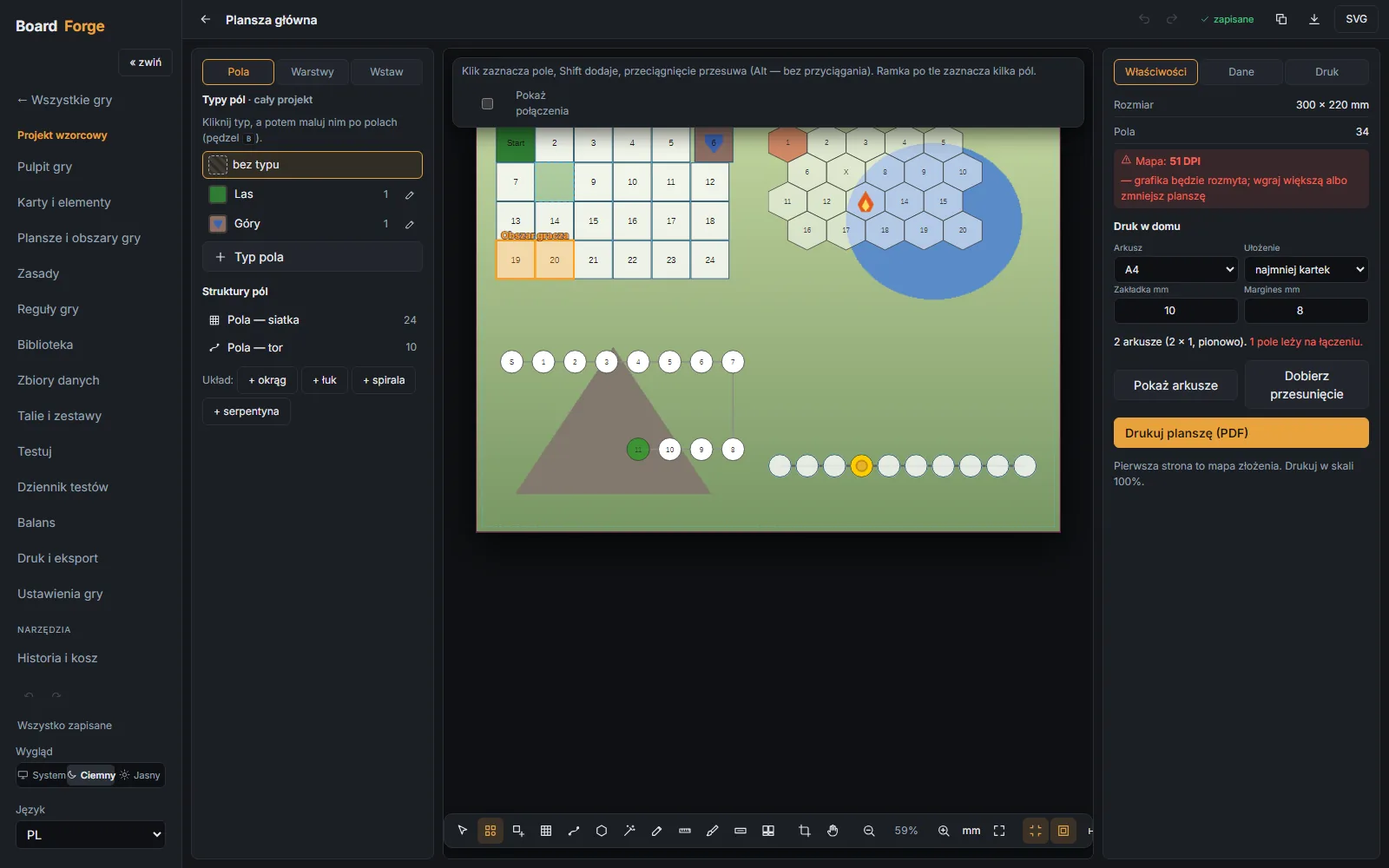
A board is more than a picture. The application knows which spaces touch and what type they are, and the test table makes use of that knowledge.
Board studio grids · hexes · tracks · modular tiles
Virtual table player hands · turns and phases · undo
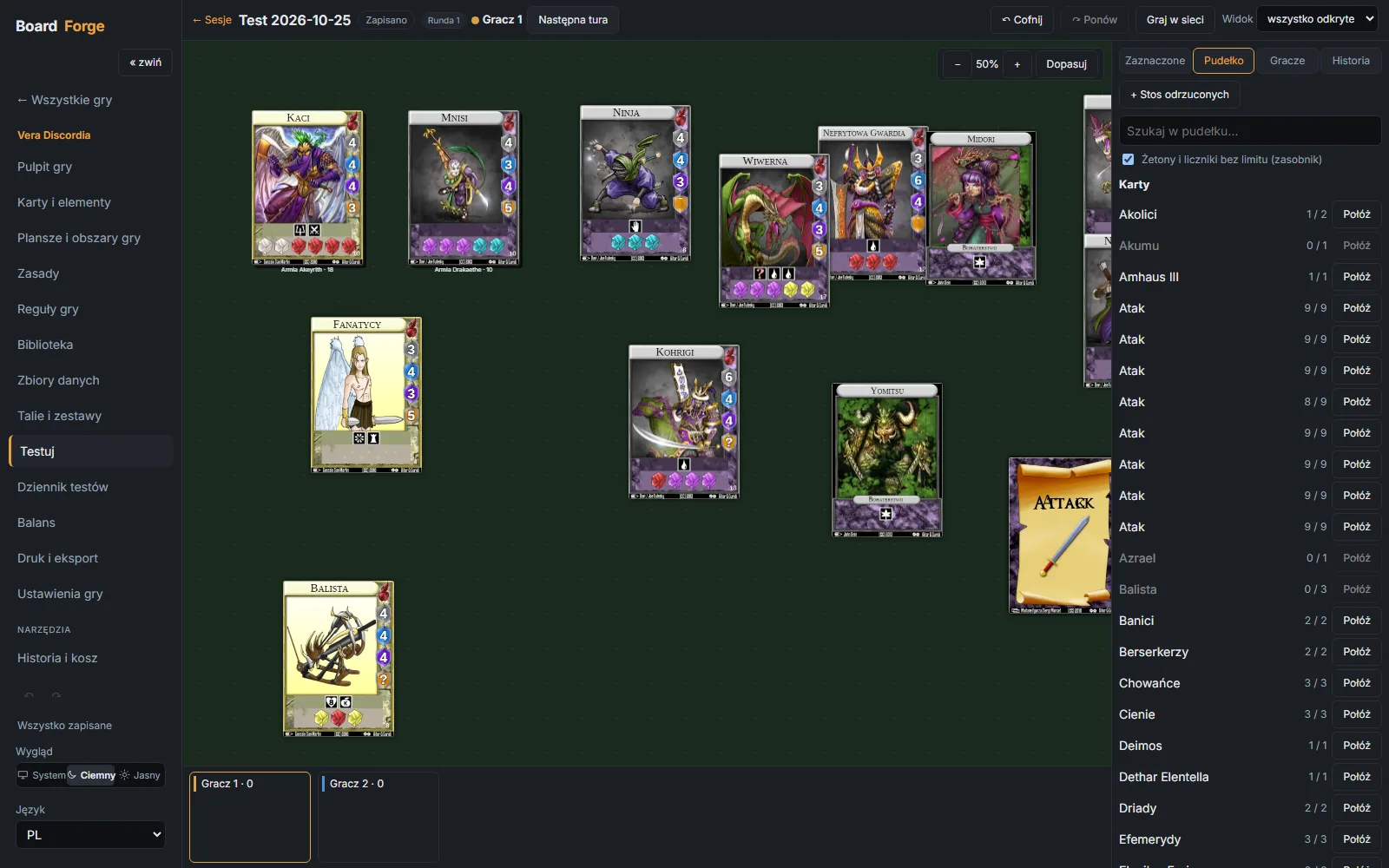
The table loads the current state of the project. Dealing cards, rolling dice, moving pawns and scoring work with no export and no printing.
It suggests what should happen next, e.g. “entering a forest: draw an event card”. It relies on the space types and adjacency stored on the board.
A note from a session goes into the playtest log as a task, ticked off once a revised version of the game is released. A game can also be played online (everyone sees only their own cards) or exported to Tabletop Simulator.
06 / printing
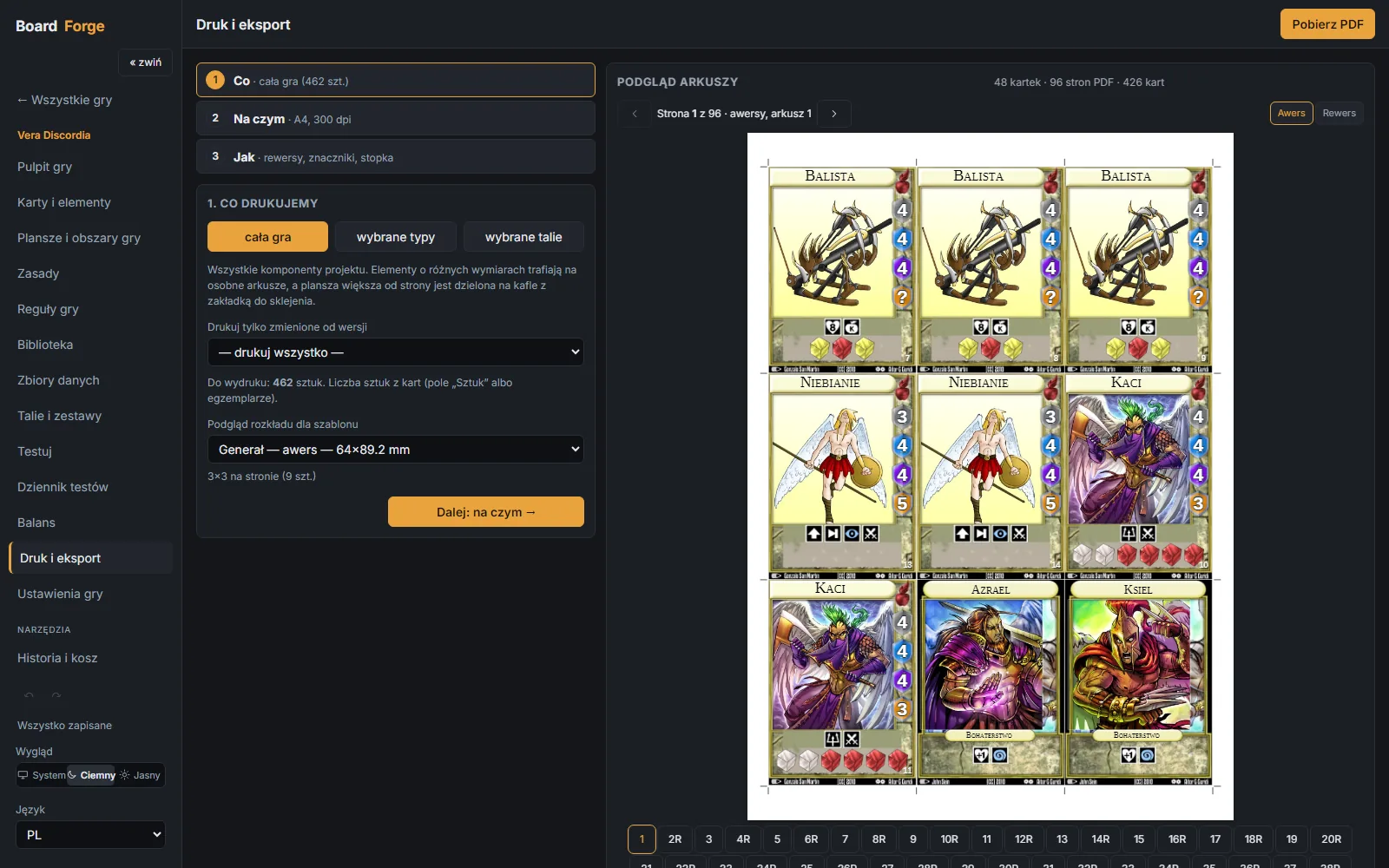
The print wizard asks three things: what you are printing, on what paper and how. Before downloading you can see every page of the PDF, with fronts and backs laid out for duplex printing.
07 / reliability
A tool for months of work has to forgive mistakes and must not lock data into its own format.
Saving runs in the background. If the connection drops, changes wait in the browser and are saved once it returns.
Versions are saved automatically. Two versions can be compared and the whole game or a single card restored. Deleted items go to the bin.
Data and images in an open format. A project can be copied, archived or sent as a single ZIP package.
Import an existing game from PDF and compare every card with the original scan. Cards read with low confidence land on a list to check.
08 / what's next
BoardForge keeps growing. The first three items are being rolled out, the next three are planned.
technologies
Own product. Screenshots from the running application, November 2026. The screenshots show cards from Vera Discordia, used as the test project: © Aitor González Guridi and friends, CC BY-NC-ND licence, illustrations belong to their authors. The figures in section 02 describe this test project.
next step
Tell me what you want to achieve. I'll come back with a concrete proposal, a quote and a delivery plan.